
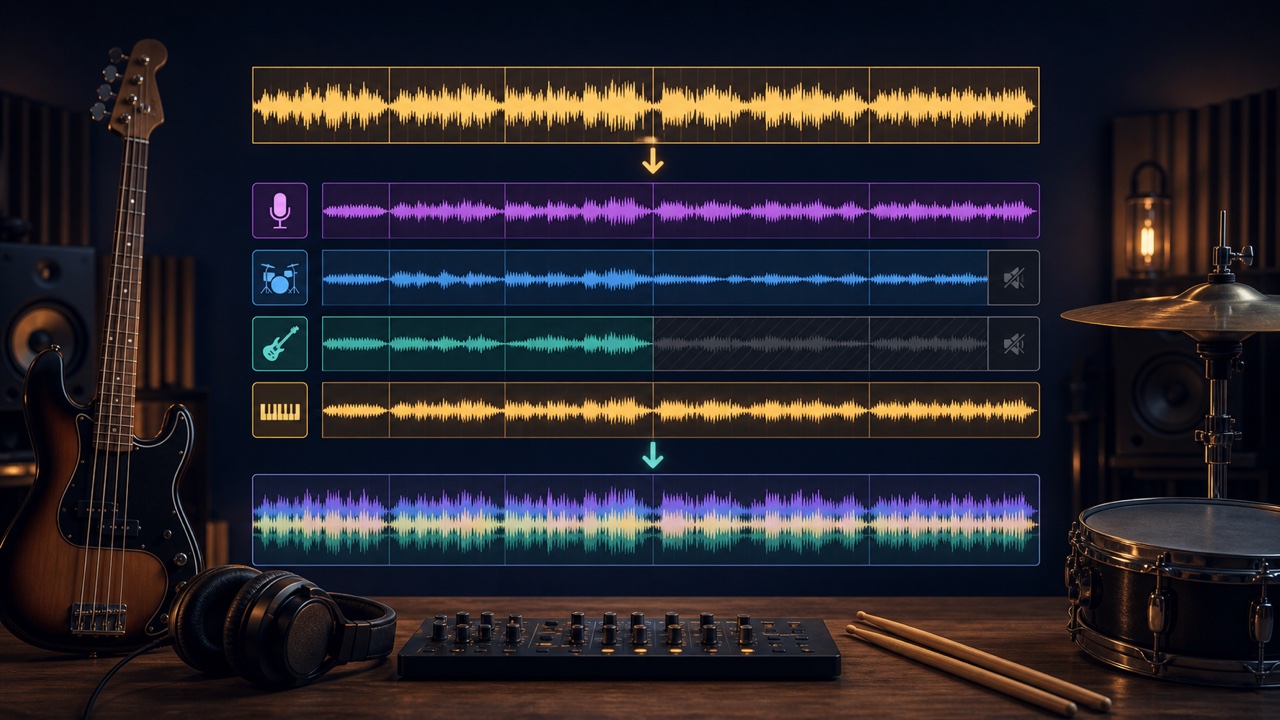
A minus-one track is a practice track made by removing the part you intend to perform from a finished song. For example, you can remove the bass and add your own bass performance, or remove the drums and play along with the rest of the band.
Compared with simply playing over the original at full volume, this makes it easier to hear differences in your timing, level, and phrasing.
First, Check the Original Song’s BPM and Structure
Use “Find the BPM and Key” to identify a possible BPM, then note the positions of the intro, verse, chorus, and other sections. This makes it easier to add a count-in and create loop sections after importing the files into your DAW.
If a live performance has tempo variations, you do not need to force it to align perfectly with the grid. You can use it to practice following the natural flow of the original performance.
Separate the Original into Stems
Use the “Stem Splitter” to divide the original into vocal, drum, bass, and other stems. For bass practice, use every file except the bass; for drum practice, use every file except the drums.
Save all separated files at the same length and with the same start position. Trimming the silence from each file independently will shift the parts out of time.
Layer the Stems You Want to Keep at the Same Position in Your DAW
Create a new DAW project and place each separated stem on its own track at the same start position. This is not a process of joining the files one after another; it is a mix in which multiple sounds play at the same time.
Mute only the part you want to remove and play the others together. Normalizing each stem independently changes the original balance, so first leave their faders at matching positions and listen for whether the result resembles the original.
Choose Whether to Remove the Target Part Completely or Leave It Quiet
Mute the target stem completely when you want to evaluate only your own performance. If you are still learning the entrance or phrase, leaving the target stem at a low level provides a guide.
You can also create two versions, one with the part turned down and another with it removed completely, and practice in stages.
Add a Count-In and Prepare the Practice Section
If the song starts immediately, add one or two measures of the DAW click or a count-in before it. When practicing only a difficult section, start the loop a little earlier so you have time to prepare for the entrance.
For a fast song, make a slower practice version with “Change Tempo”, then gradually return to the original speed. Do not combine slowed stems with stems at the original speed; layer only files that received the same processing.
Record and Compare Your Performance
Play the minus-one track through headphones and record your bass or drums onto a separate track. Check not only the timing but also whether the volume, note lengths, and dynamics fit the song.
Enable the original part again and alternate between it and your recording to make differences easier to identify. Do not mistake missing or smeared sounds caused by AI separation for performance errors.
Export It as a Practice Track
Confirm the stems you are keeping, the count-in, and any loop range you need, then export a WAV or MP3 with enough headroom above the peaks. Include the removed part and tempo in a file name such as “song_bass-minus_80percent.”
Stems and minus-one tracks made from commercial recordings remain subject to the rights in the original audio. Use them only for personal practice, and do not publish or distribute them without permission.
For changing the tempo and creating practice sections, see “How to Create Practice Tracks for Your Instrument”. For using stems in analysis, also see “How to Listen to a Reference Track One Part at a Time”.
