
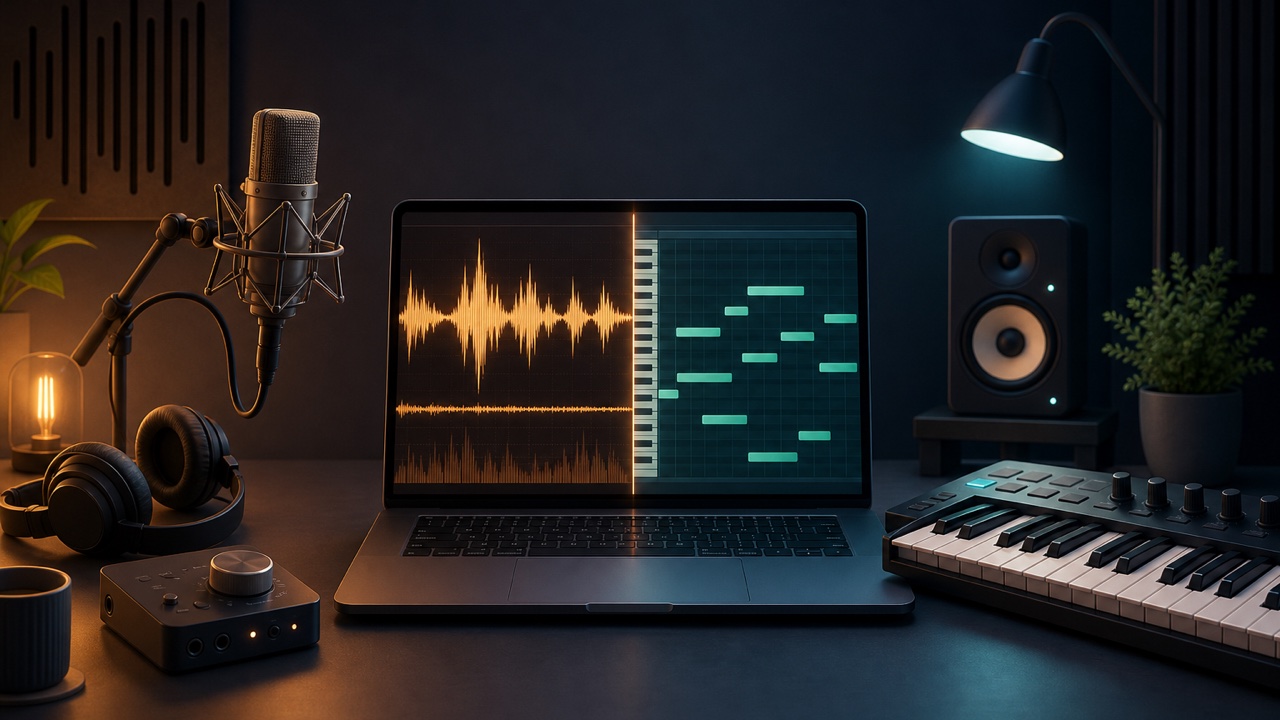
When you create a song in a DAW, you will encounter the terms “audio track” and “MIDI track.” Both are used to make music, but they record different things and offer different editing options afterward.
Simply put, audio is recorded sound itself, while MIDI is information about which notes to play, when to play them, and how strongly to play them.
Audio Records a Sound Waveform
Vocals, guitars, ambience, and finished loops are normally handled as audio files. A DAW displays their waveforms, which contain the character of the voice or instrument, room reflections, and even noise.
You can cut, arrange, change the level, fade, and process the pitch or tempo of audio. However, after recording, you cannot completely separate the performance from its tone and turn a guitar into a piano, for example.
MIDI Records Performance Data
MIDI stores note pitch, start position, duration, velocity, and other performance information. MIDI itself contains no sound, so you only hear it after sending the data to a software instrument.
You can use the same MIDI data with a piano, synthesizer, strings, or another instrument. Note pitches and timing are also easy to correct in the piano roll.
What Audio Is Best For
- Recording vocals and narration
- Guitar and bass performances
- Acoustic instruments recorded with a microphone
- Sound effects and ambience
- Finished loops and samples
Audio is the better choice when you want to preserve the actual performance and sense of space.
What MIDI Is Best For
- Programming drums
- Entering chords and bass lines
- Synth and piano melodies
- Parts whose tone or key you may want to change later
- Parts that need detailed timing corrections
Because MIDI is easy to revise, even people who do not play an instrument can create music with a mouse or step input.
Why Convert MIDI to Audio?
As production progresses, you may bounce a software instrument playing MIDI to audio. Committing the sound can reduce the load on your computer and make it easier to reproduce the same sound in a different environment.
Once you convert it to audio, however, you cannot easily return to editing the notes or instrument tone. If revisions may be necessary, keep the original MIDI track as well.
Real Songs Use Both
Most music production combines both formats—for example, audio for vocals and guitars, and MIDI for drums and synths. Neither one is inherently better. Choose based on whether you want to record a sound or preserve performance data that you can edit freely later.
