
Splice is a subscription-based sound library.
At the time this article was written, its entry plan provided 100 downloads each month for a modest monthly fee.
Splice became essential to my songwriting, so here are the features I found most useful.
What Makes Splice Useful
In simple terms, Splice lets you download loops and one-shot samples for music production. Its samples are licensed for commercial use, so you can incorporate them into music you release.
These are the five advantages I value most:
- Good value
- Easy sample discovery
- Efficient website controls
- Synthesizer presets as well as audio
- A convenient desktop app
100 Samples a Month for About ¥800
The value was the first thing that stood out.
Splice offered four plans, with the least expensive costing $7.99 per month—about ¥850 when this article was written.
That plan included 100 monthly credits, and most sounds cost one credit. That worked out to roughly ¥8 per sample.
A sample CD may include many sounds you do not need. Splice lets you spend one credit at a time and download only the sounds you choose, reducing waste.
Easy Sample Discovery
Splice’s interface makes sounds easy to find.
You can search by keyword, instrument, or genre, or explore a sound pack you like.
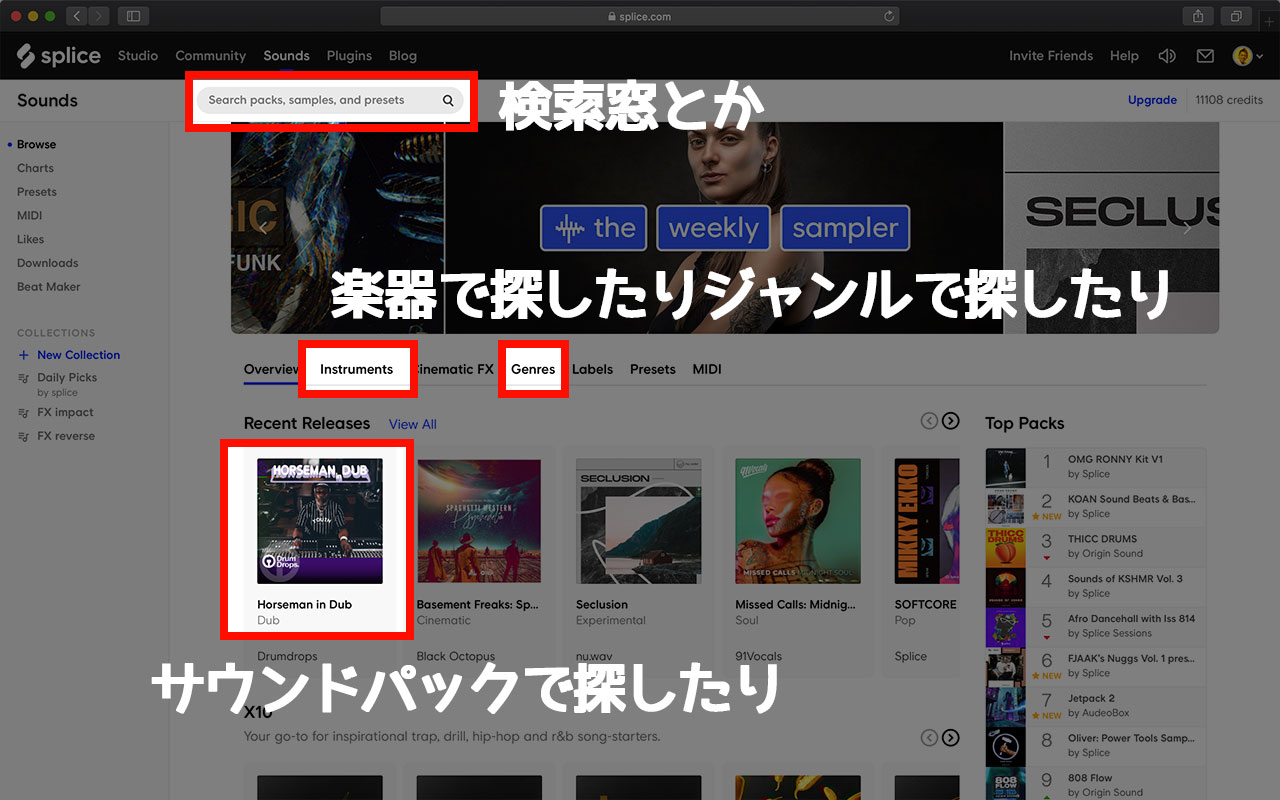
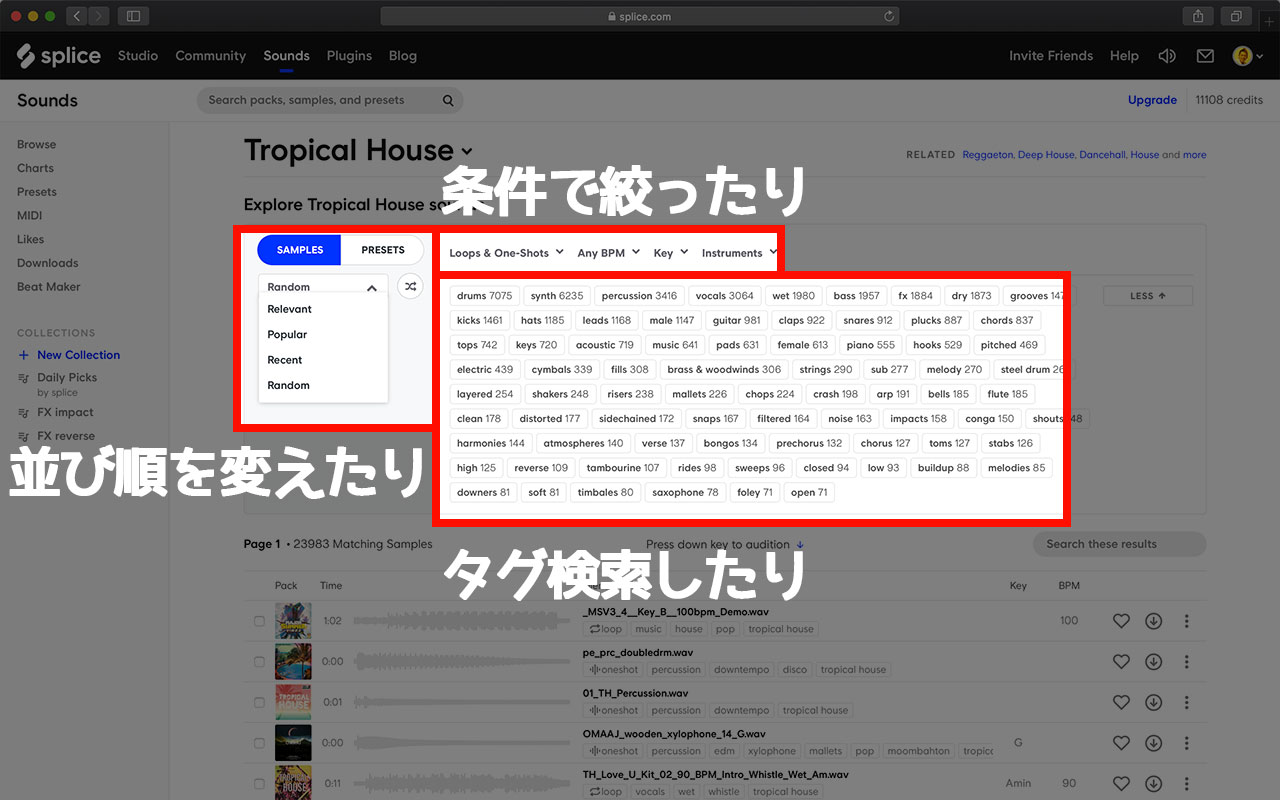
You can also filter by key, BPM, and tags. Sorting options, including random order, can lead to unexpected discoveries.
Efficient Website Controls
The site supports useful keyboard controls:
- Use the Up and Down Arrow keys to move between sounds
- Use Right Arrow to skip forward and Left Arrow to return to the beginning
- Use the Space bar to play and stop
Combined with the search tools, these controls make auditioning many sounds efficient.
Presets for Major Synths Including Serum and Spire
Splice also offered MIDI files and a large collection of synthesizer presets.
Presets for Serum, Sylenth1, Massive, and Spire were especially valuable.
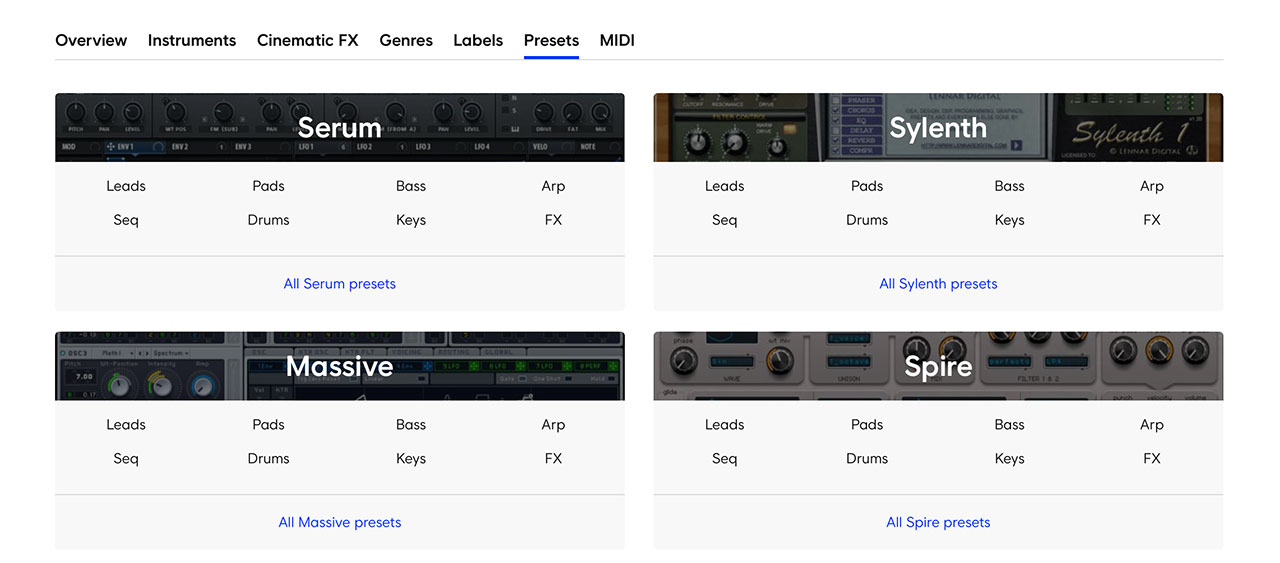
Sometimes you hear a sound in a pack and want the patch itself rather than the rendered sample.
A Convenient Desktop App
The desktop app lets you drag a sound directly into your DAW.
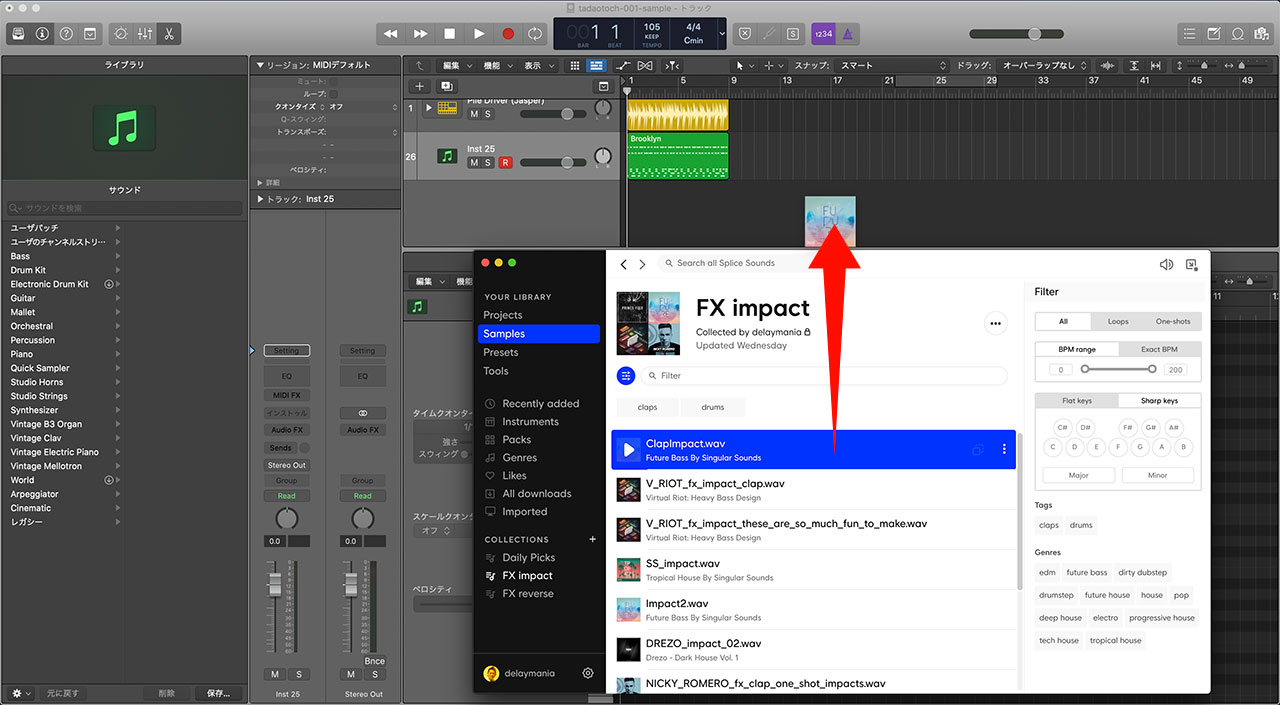
I previously organized downloaded samples into folders, but finding them was difficult. The Splice app supports the same kinds of searches as the website.
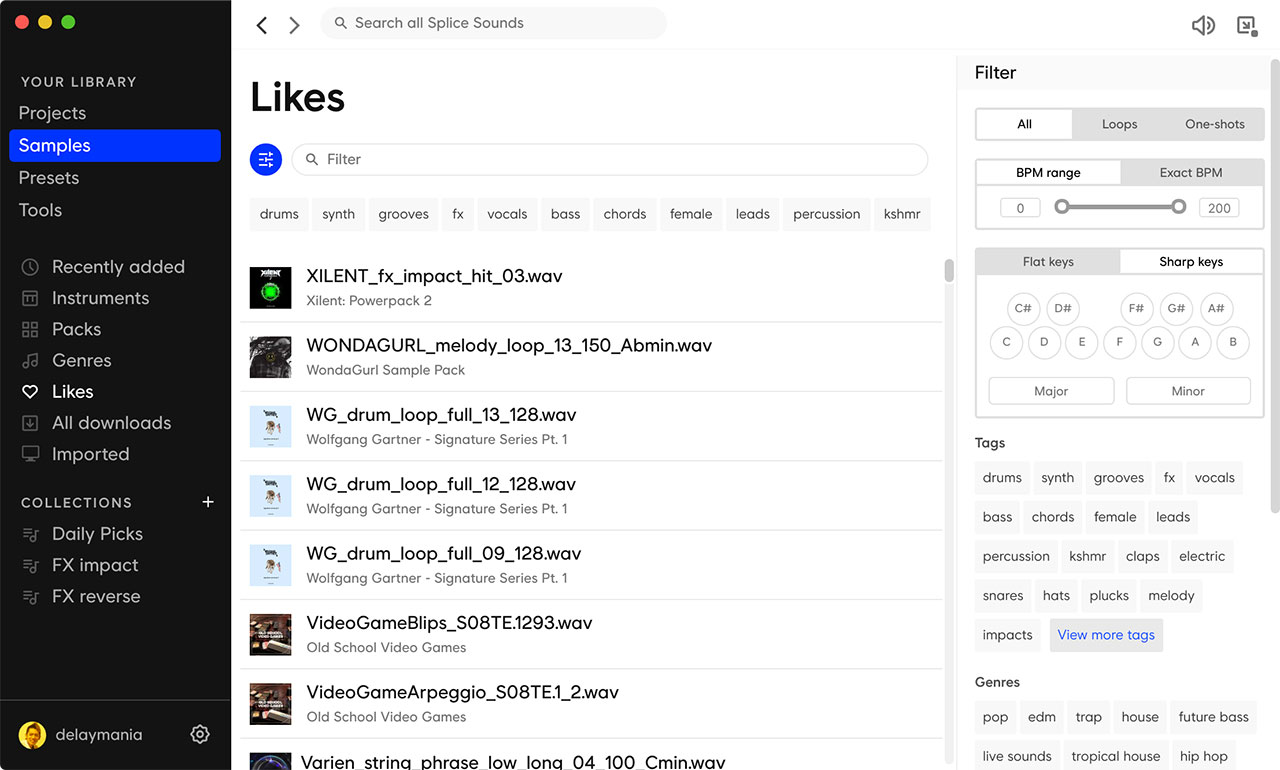
Collections make frequently used samples even easier to find.
Referral Link for 100 Credits
At the time this article was published, registering through the URL below gave both you and me 100 credits.
https://splice.com/vip/delaymania
The first month is often when you explore the most sounds and use the most credits, so the bonus could help avoid running out at the start.
