
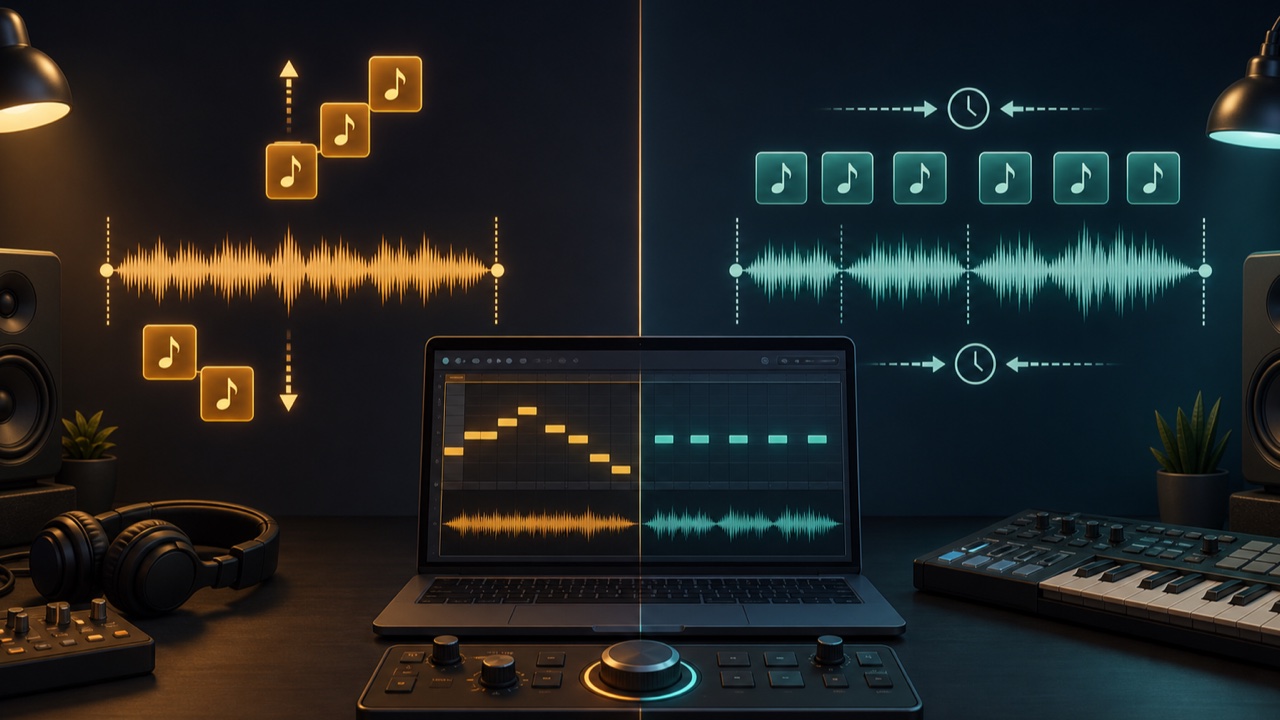
Changing a song to a comfortable range for singing requires a different process from slowing down a fast phrase for practice. The former changes the key or pitch, while the latter changes the tempo.
Pitch and speed are separate dimensions of sound, but a basic playback-speed control may change both at the same time. Decide first what you want to preserve and what you want to change.
A Key Change Moves the Pitch
A key change raises or lowers the entire track in semitone steps while preserving its length and tempo as much as possible. You can use it to fit a vocal song to your range, match a sample to the song’s key, or accommodate an instrument’s tuning.
For example, raising a song in C major by two semitones moves the entire song to the equivalent of D major. The melody, chords, bass, and pitched elements of the drums all move together.
A Tempo Change Moves the Song’s Speed
A tempo change alters the playback duration and BPM while preserving pitch as much as possible. You can use it to hear a fast guitar solo more slowly, match a dance track to another BPM, or slightly adjust a song to fit a video’s duration.
Slowing a track from 100% to 80% makes it longer, while speeding it up to 120% makes it shorter. Even when the pitch stays the same, the character of the attacks and reverberation changes.
A Playback-Speed Change May Alter Both
With a simple speed change like altering a record’s rotation rate, speeding up raises the pitch and slowing down lowers it. DAWs sometimes provide this behavior under a name such as Varispeed so it can be used intentionally as an effect.
Time-stretching and pitch-shifting processes, by contrast, separate pitch from speed. Check the settings panel for options such as “preserve tempo” or “preserve pitch.”
Choosing the Right Process for Transcription and Practice
- The phrase is too fast to follow the notes: Slow down the tempo
- The notes are too low or too high to play comfortably: Change the key
- You want to practice a song in half-step-down tuning with standard tuning: Raise it one semitone
- You want to align the original song with the DAW grid: Determine the BPM and match the tempo
For transcription, reducing the tempo to around 70% to 90% while preserving pitch is an accessible way to hear the details. Slowing it down too much stretches the sounds and changes the feel of the rhythm, so reduce the speed only as much as necessary.
Change Key and Tempo Separately with tadaoto
The Change Audio Pitch tool can raise or lower a track by up to 12 semitones while preserving its tempo. Start by auditioning changes of one to three semitones in either direction to minimize changes in audio quality.
The Change Audio Tempo tool can change a song’s speed from 50% to 200% while preserving its pitch. For instrument practice, starting around 70% to 90% can make phrases easier to hear while preserving their flow.
If you do not know the original BPM or key, first use the BPM and Key Detector to check the likely values.
Larger Changes Have a Greater Effect on Audio Quality
Large pitch changes are more likely to make the texture of a voice or an instrument’s attack sound unnatural. Extremely slow or fast tempos also change the definition and reverberation of the audio.
Some change may be acceptable for practice or analysis. For a remix or finished track that will be published, audition short previews several times and confirm that the source’s appealing qualities remain intact.
Choose What to Change Based on Your Goal
Change the key when you need to match pitch and change the tempo when you need to match speed. If both must change, avoid applying one large transformation. Check and adjust the BPM and number of semitones separately.
For a detailed workflow that begins with analysis, also see How to Find a Song’s BPM and Key.
