

I began using Logic in 2002 and had stayed with it continuously through 2020, when this article was written.
Part of that is simple familiarity, but Logic also has real strengths compared with other DAWs. Here are the features I like and the reasons I recommend it.
What I Like and Recommend About Logic Pro
These are the main reasons I like Logic Pro and recommend it to beginners:
- Affordable price
- A large collection of included plug-ins
- A large collection of included loops
- Many useful production features
- Highly customizable keyboard shortcuts
Let’s look at each one.
If you prefer a video explanation, watch this overview.
Affordable Price
Logic was significantly less expensive than many competing DAWs.
Cubase and Studio One offered several editions, with their highest tiers costing more than ¥40,000 at the time.
Logic Pro had no separate tiers. As of version 10.5.1, a single ¥24,000 purchase unlocked every feature.
It may have cost more than entry-level editions of other DAWs, but it was inexpensive when comparing complete versions.
A Large Collection of Included Plug-Ins
One of Logic Pro’s strengths is the number of included plug-ins.
It contains many synthesizers,
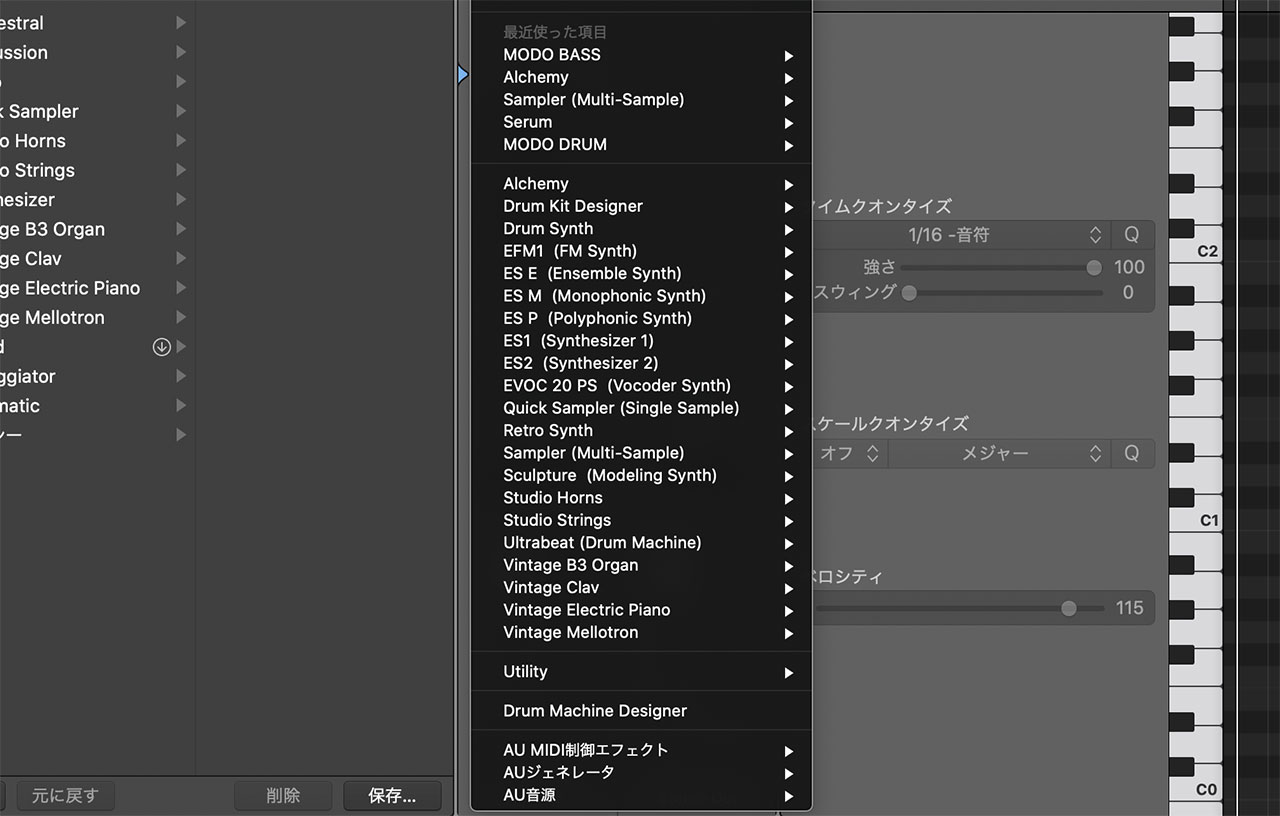
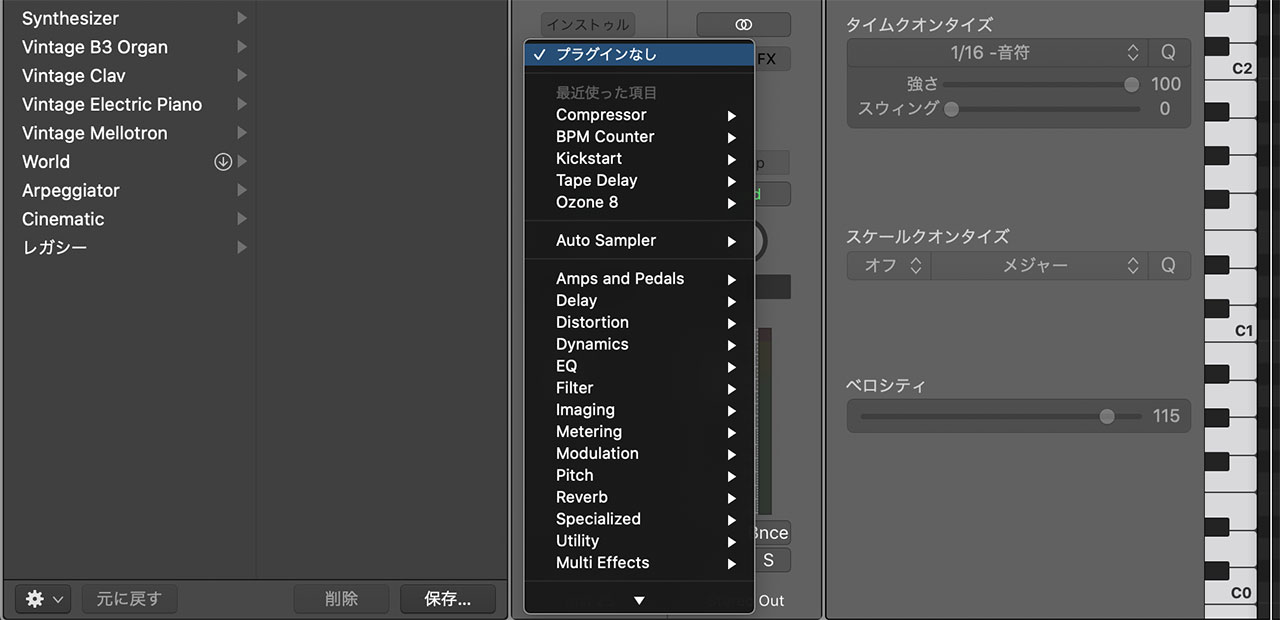
as well as a broad selection of effects.
The Library on the left also provides ready-made combinations of synths and effects.
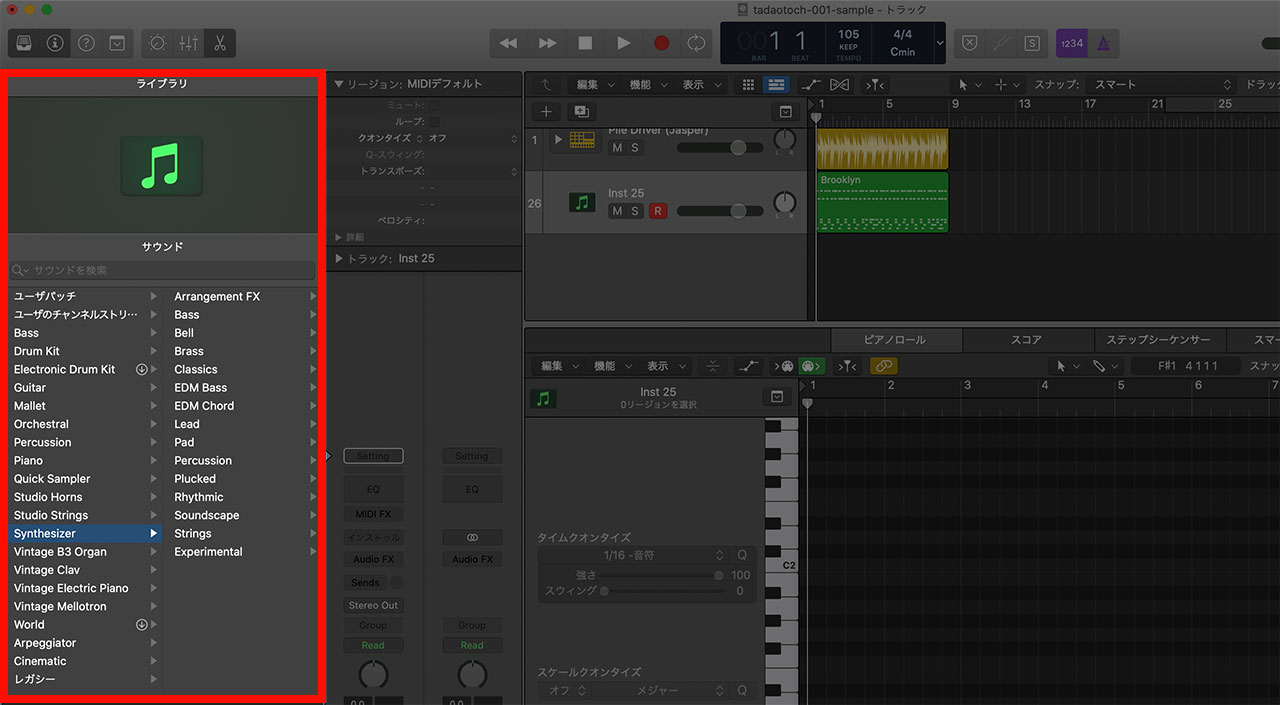
Being able to produce and mix music without buying third-party plug-ins is a major advantage for beginners.
Even after using Logic for about 18 years, I still regularly reached for its built-in plug-ins. Third-party tools are often more capable, but many of Logic’s instruments and effects remain genuinely useful.
A Large Collection of Included Loops
This is another feature I especially recommend to beginners. Logic includes a large library of tempo-aware Apple Loops.
Because they contain tempo information, the loops follow the BPM of your project. You do not have to reject a useful sound simply because its original BPM differs from your song.
Many Useful Production Features
Logic also includes many tools that support the creative process.
I particularly like Drummer, which generates drum tracks. It is not an exaggeration to say that Drummer is one reason I continue to use Logic.
関連記事のIDを正しく入力してくださいOther useful features include:
- Flex Pitch for pitch correction
- Live Loops for capturing and arranging ideas
- Remix FX for DJ-style processing
- Logic Remote for using an iPhone or iPad as a controller
Together, these tools provide many different ways to approach writing a song.
Highly Customizable Keyboard Shortcuts
The biggest reason I find it difficult to move to another DAW is Logic’s flexible key-command system.
An enormous number of commands can be controlled entirely from the keyboard.
Moving a pointer is surprisingly tiring, and pressing a key is often much faster.
Browsing the key-command list can also reveal useful functions you did not know existed.
What I Envied About Other DAWs
This was based on Logic Pro 10.5.1, but there were still features I envied in other DAWs.
I did not know every competing DAW in detail, but one missing feature stood out as something I wanted Logic to add quickly:
32-bit recording. Logic had just received a major update, yet still did not support it, even after I bought a compatible audio interface. Studio One’s support nearly convinced me to switch.
Using both applications was another possibility. I was already comfortable programming MIDI in Logic, but could record guitars or mix in Studio One.
