

Preset files for Serum, a popular synthesizer plug-in for EDM production, are available from many sources.
This article explains how to import a preset file so you can use it in Serum as soon as you obtain it.
How to Import a Preset File into Serum
First, open Serum and select Show Serum Presets Folder from the menu.
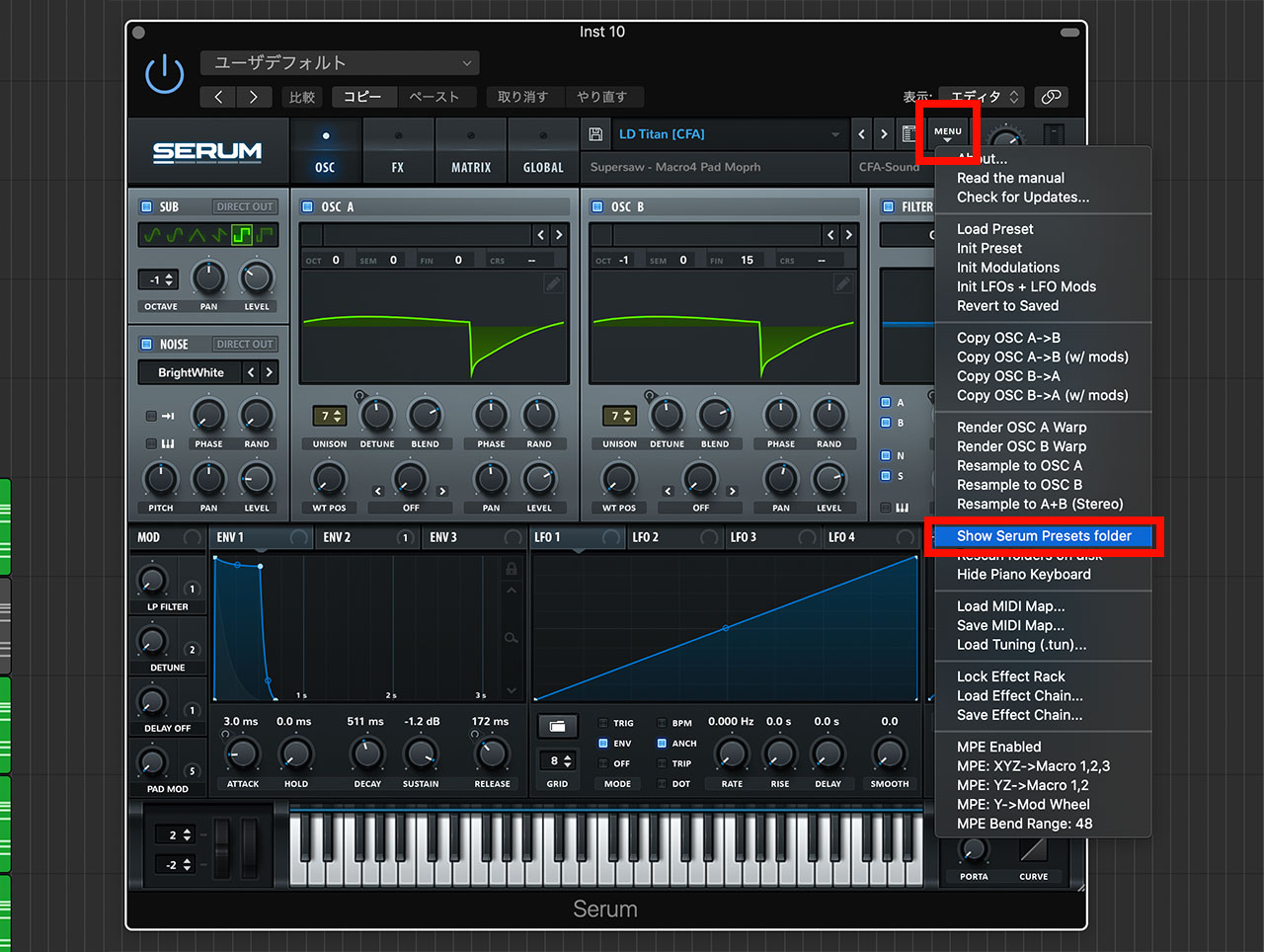
This opens the /Library/Audio/Presets/Xfer Records/Serum Presets/Presets folder. Place the preset file in this folder.

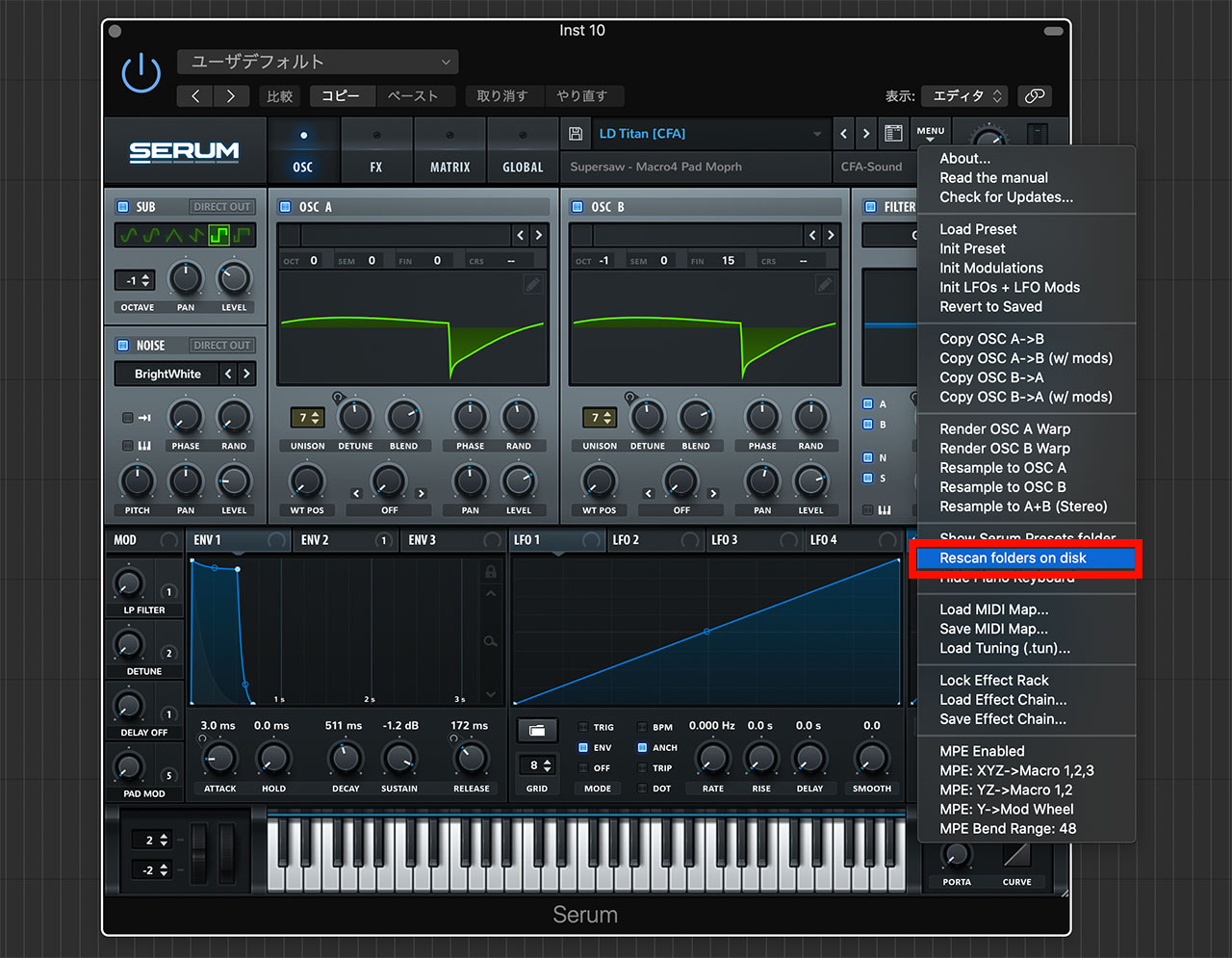
Return to Serum and click Rescan Folders on Disk in the menu. Serum will now recognize the preset file.
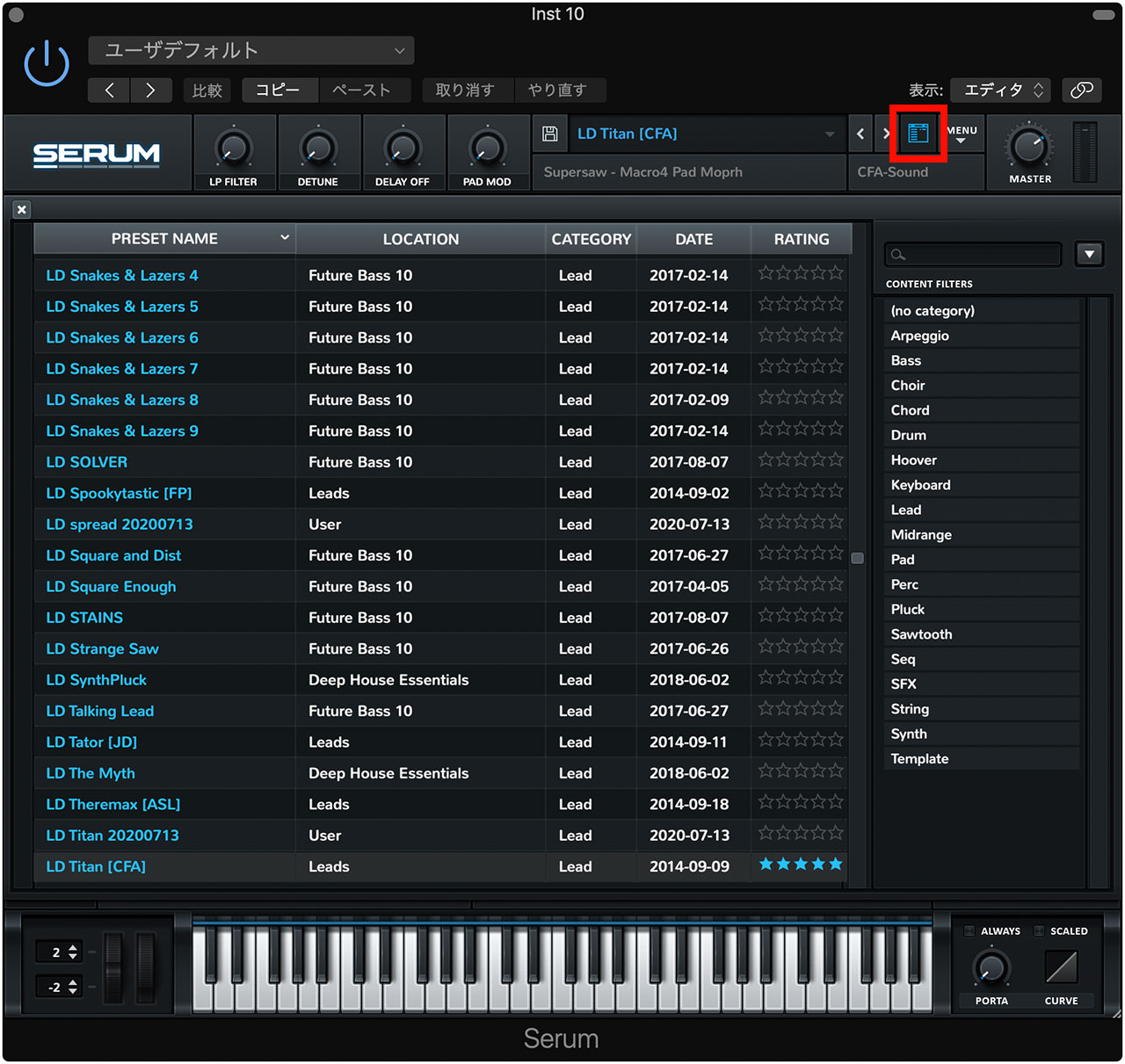
Click the button immediately to the left of the menu button to display the preset list, then find the preset you just imported.
Where Can You Find Serum Presets?
I often obtain Serum presets in the following two ways. They are not free, but both can offer good value.
Download Them from Splice
At the time this article was written, Splice was a subscription-based audio-asset service that provided 100 credits for about ¥800 per month. Individual audio files cost one credit each.
The service also offered presets for selected synthesizers, including a large collection for Serum. A preset cost three credits, which I still found very affordable.
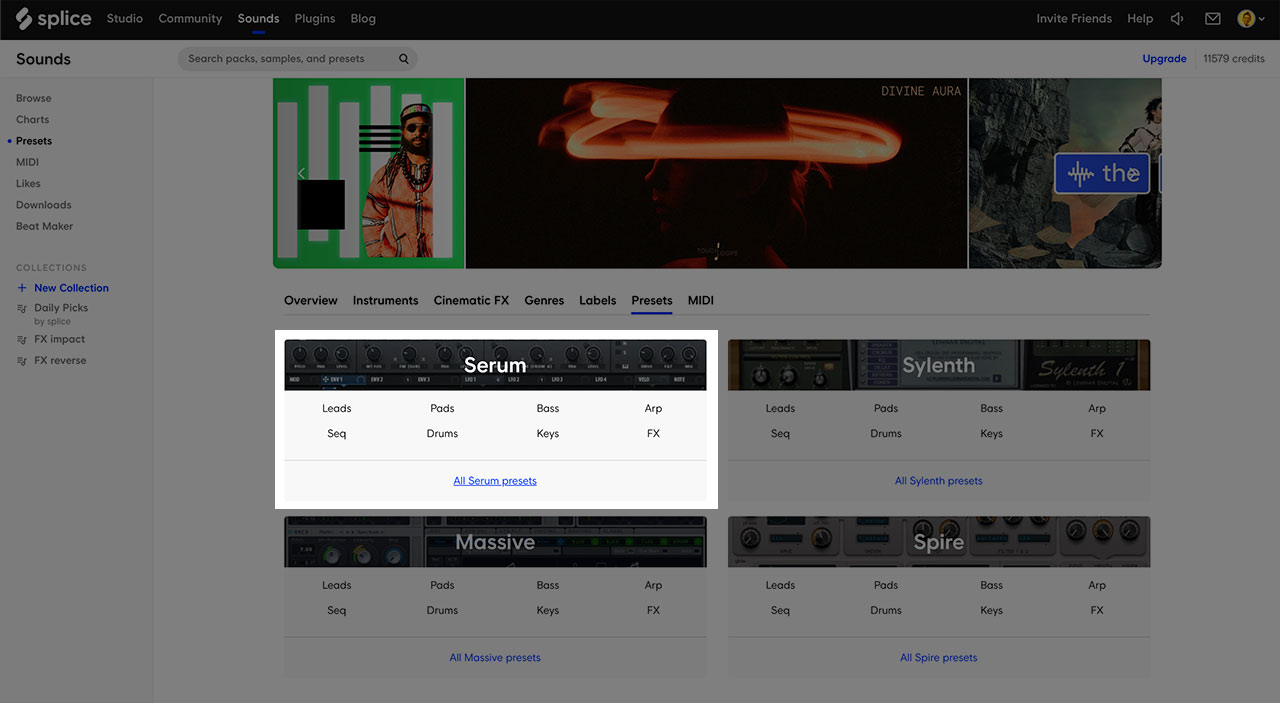
At the time, registering for Splice through the link below provided an additional 100 credits. I also received 100 referral credits.
Buy a Sound Pack
Some sound packs contain synthesizer presets in addition to audio samples.
Plugin Boutique frequently runs sales on sound packs as well as plug-ins. You can sometimes obtain a large collection for a modest price, so it is worth checking regularly.
