

iZotope RX 8 was released on September 2, 2020, and I upgraded right away and started using it.
I use RX 8 Standard, the middle edition, but even the most affordable edition, RX 8 Elements, can remove many types of noise.
In this article, I’ll demonstrate how much noise you can remove with Voice De-noise, a feature also available in Elements.
A Quick Overview of iZotope RX 8
iZotope RX 8 is audio repair software that can remove many kinds of noise. At the time of writing, it came in three editions:
- Elements, the most affordable edition, with tools for removing hum, ambient noise, and similar problems
- Standard, with tools that can address noise encountered while recording vocals and guitar
- Advanced, the highest-priced edition, with a broad set of noise-removal tools suitable for professional work
As mentioned above, Voice De-noise is available even in Elements and can remove air conditioner noise and other ambient sound. For YouTubers and livestreamers, Elements may therefore be enough.
Let’s listen to a sample and see how much ambient noise Voice De-noise can remove.
At the time this article was written, RX 8 had just launched and was on sale. If it still suits your setup, take a look at the current options.
iZotope RX 8 Voice De-noise
Before testing Voice De-noise in iZotope RX 8, here is the recording setup used for the sample.
I recorded with a cardioid lavalier microphone. This type of microphone picks up relatively little sound from the surroundings, but it still captures a fair amount of ambient noise from sources such as an air conditioner.
I set the air conditioner to its highest and noisiest fan speed. A MacBook Pro was also directly in front of me, and its cooling fans were running continuously and making plenty of noise.
I began speaking without Voice De-noise, turned it on midway through the recording, and then turned it off again at the end.
The difference should be immediately obvious. The air conditioner and Mac cooling fans disappear surprisingly cleanly, while the processing has very little effect on the character of the voice.
When ambient noise can be removed this effectively, you can leave the air conditioner running during a livestream. It might even help in a recording situation where turning off the air conditioner is impossible, although creating the quietest environment possible should still be the first priority when recording.
I also use Voice De-noise to remove ambient noise from the audio in videos I upload to YouTube.
I performed the same experiment in a video—in fact, this audio sample came from part of that video. See the video at the end of the article for a more detailed demonstration.
How to Use Voice De-noise
Despite how useful Voice De-noise is, it is extremely simple and quick to use.
Open RX 8, select Voice De-noise, click Learn in the upper-left corner, and play a section that contains only the ambient noise.
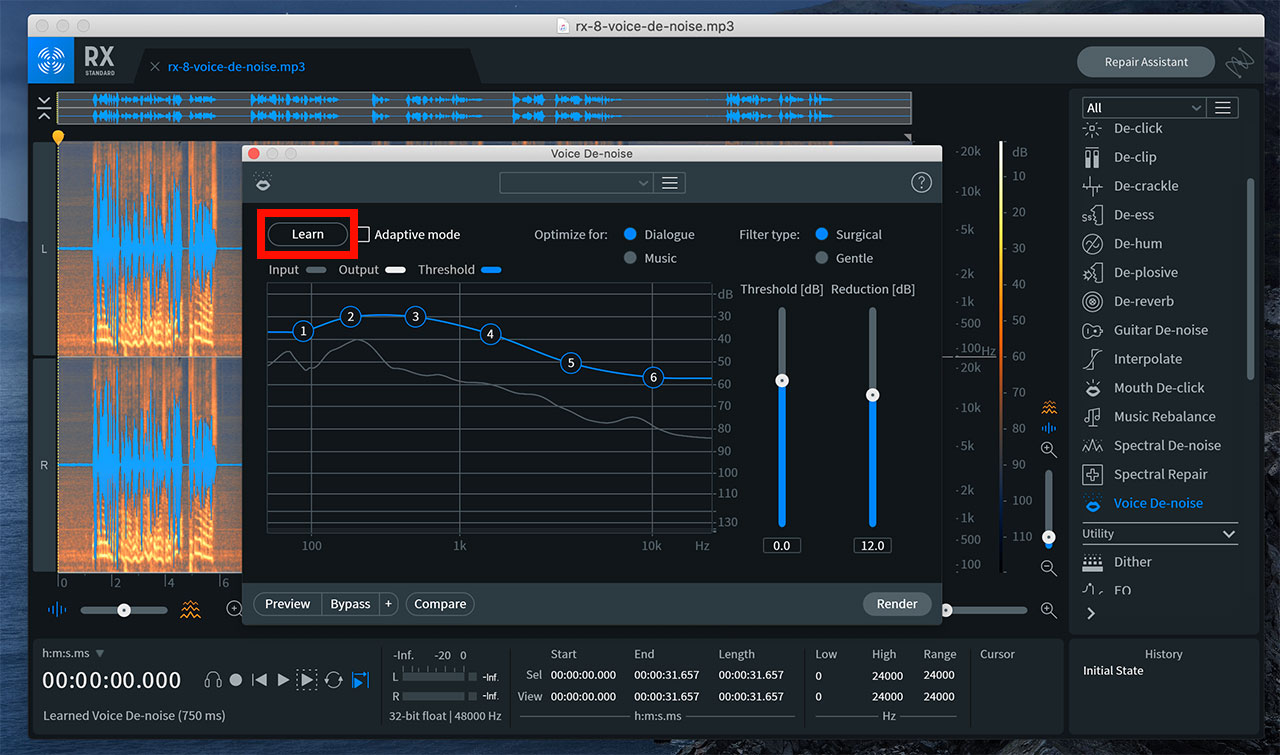
RX 8 has now learned the ambient noise. Adjust the two controls on the right to find the point where the noise disappears without damaging the voice.
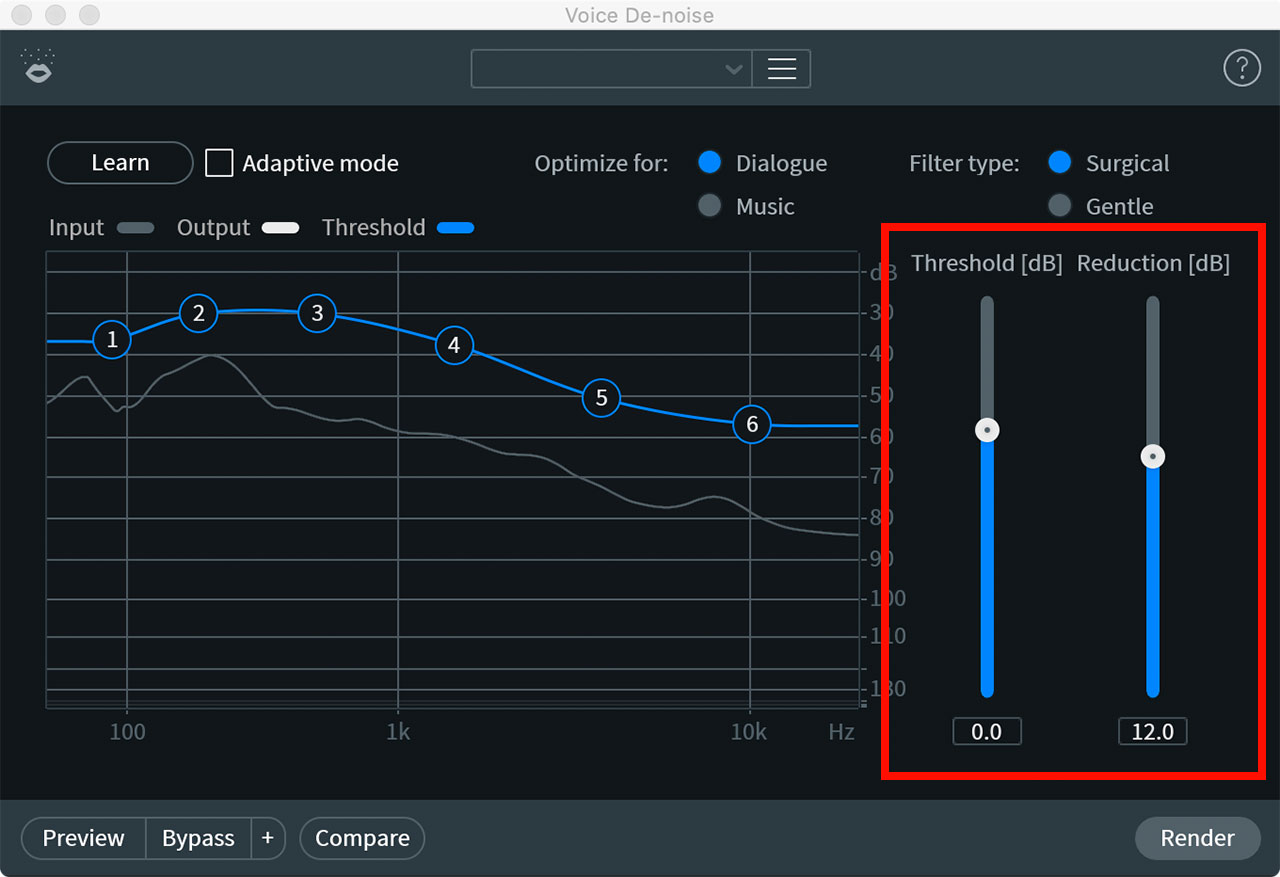
Extreme settings can change the tone of the voice, so you need to adjust while listening, but that is all there is to the basic process.
Being able to remove air conditioner noise and similar ambient sound so easily makes this one of my most frequently used tools.
As noted at the beginning, Voice De-noise was included in the entry-level Elements edition of RX 8. If you have a compatible version, give it a try.
