

Recording settings are often written as “24-bit/48 kHz.” The value on the left is the bit depth, and the value on the right is the sample rate.
Logic Pro places these two settings in different locations, which can make them difficult to find.
I often forget where each one is configured, so this guide explains how to set both bit depth and sample rate.
Set Bit Depth in Preferences
Bit depth is changed in Preferences, which controls Logic Pro’s application-wide settings.
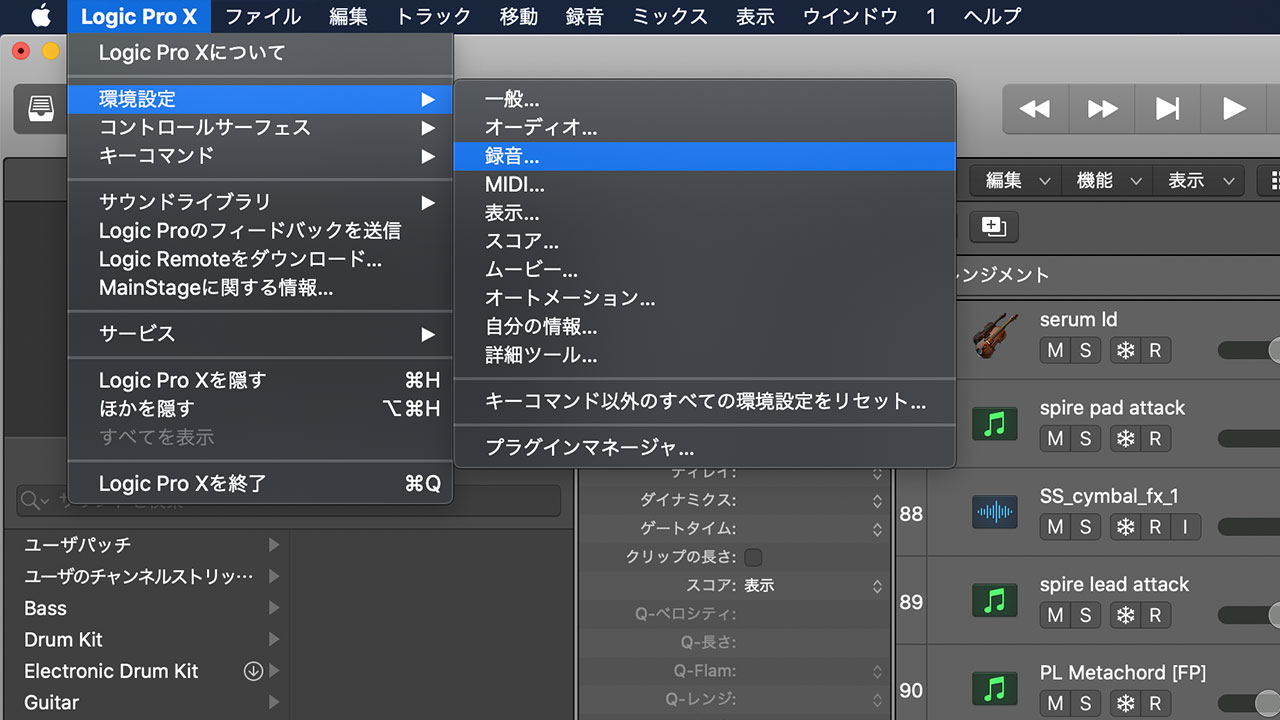
Open the Logic Pro menu at the top and choose Preferences > Recording.
When 24-Bit Recording is selected, Logic records at 24-bit. When it is not selected, Logic records at 16-bit.
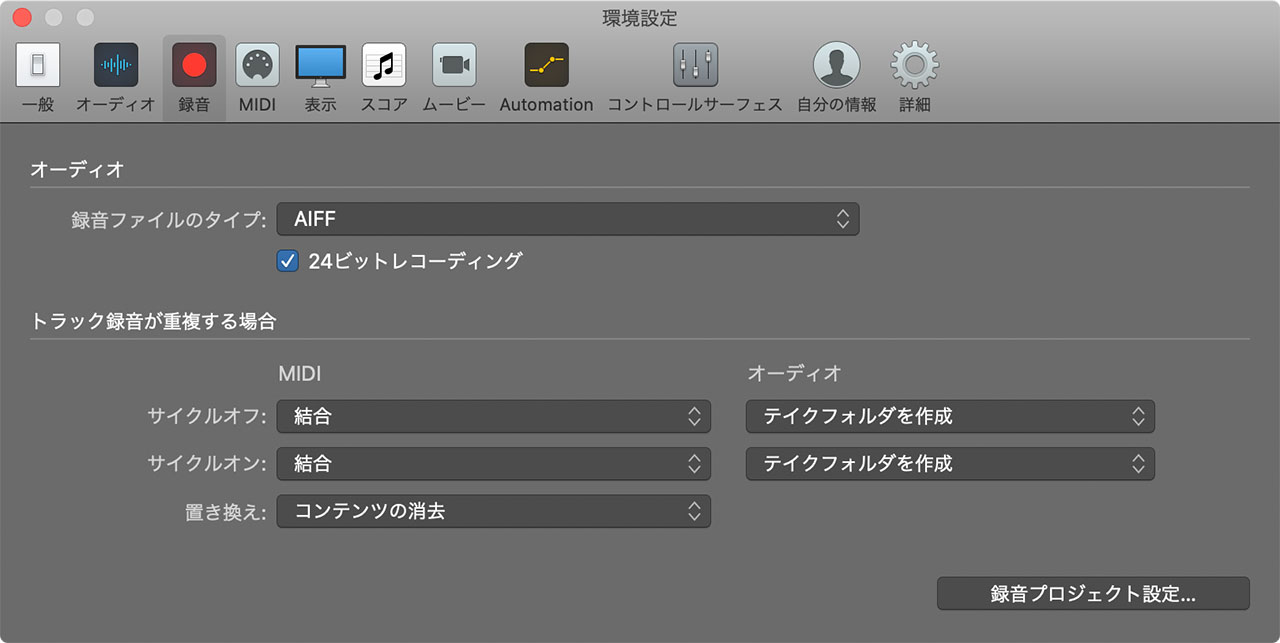
As of Logic Pro X 10.5.1, 32-bit recording was not available. I owned an audio interface capable of 32-bit recording, but Logic could not take advantage of it at the time.
Set the Sample Rate in Project Settings
The sample rate is changed in Project Settings. Since it can be configured separately for each project, you can choose a different rate for each song.
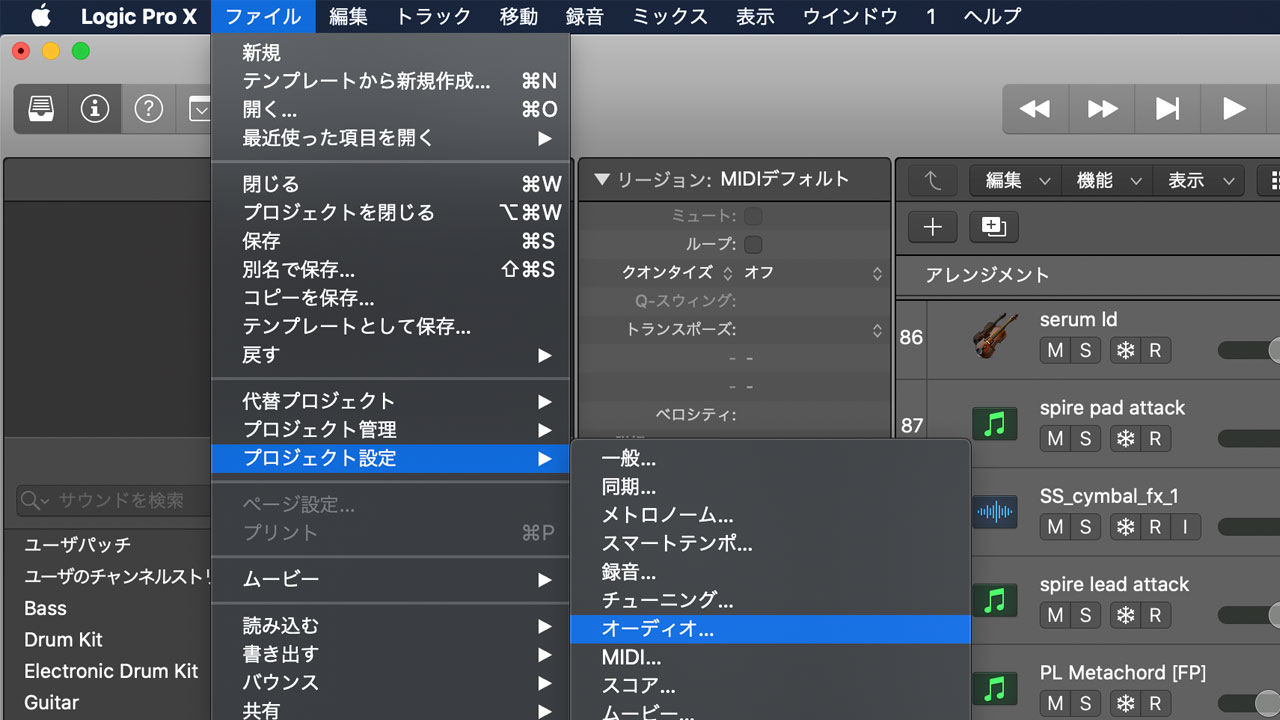
Open the File menu and choose Project Settings > Audio.
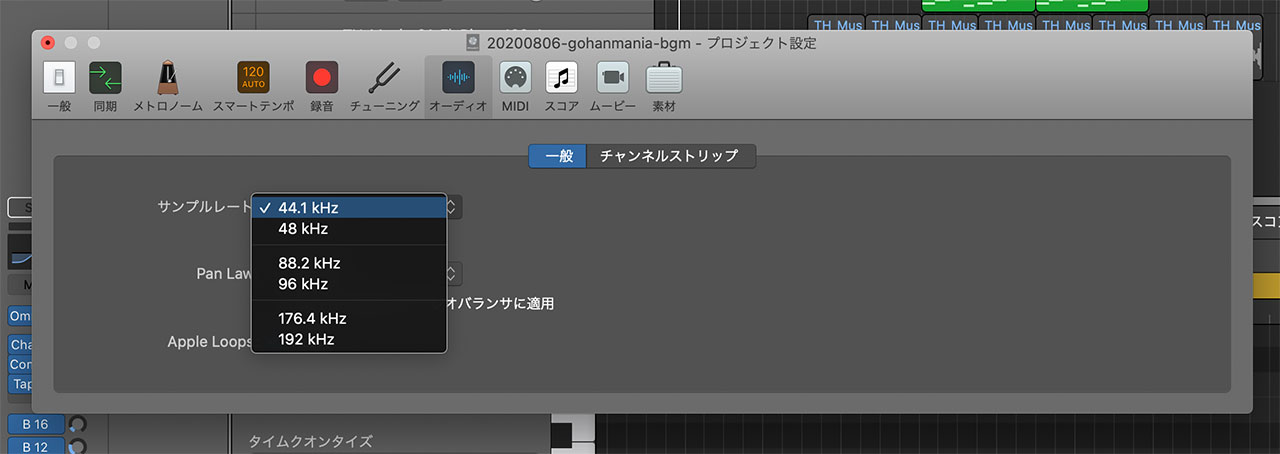
Choose the sample rate you want from the Sample Rate pop-up menu.
Which Sample Rate Should You Use?
I am still deciding which sample rate is best for my own work. At the time this article was written, I usually recorded at 48 kHz.
Looking ahead, I was considering moving to 96 kHz. The main disadvantage is the larger file size, which did not seem especially inconvenient for my workflow.
Going all the way to 192 kHz felt excessive at the time, although the right choice depends on the project.
I had assumed I would rarely need 44.1 kHz, but I eventually encountered a situation where it was necessary.
While recording my screen for YouTube, audio from a 48 kHz Logic project broke up when captured in QuickTime. Changing the project to 44.1 kHz fixed the recording, so I used 44.1 kHz for projects created specifically for those videos.
It was an inconvenient limitation, and I hoped a future macOS update would resolve it.
