

Logic Pro’s Flex feature can correct the pitch of audio files, but it can also be used to extract MIDI data from audio.
It cannot analyze chords, so the source must be monophonic. Even with that limitation, it is a very useful feature. Here is how to use it.
Enable Flex Pitch for the Audio
First, enable Flex for the audio and set its mode to Flex Pitch.
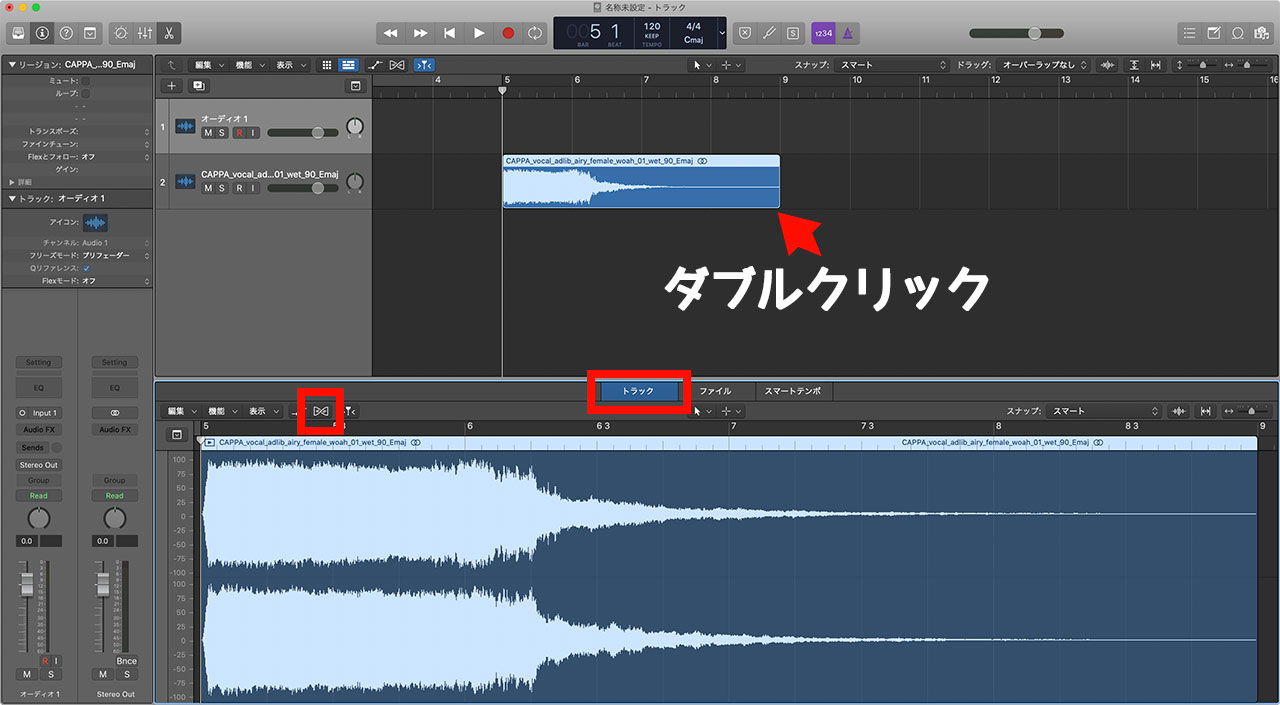
After importing or recording the audio, double-click the region, open the Track tab, and click the Flex button.
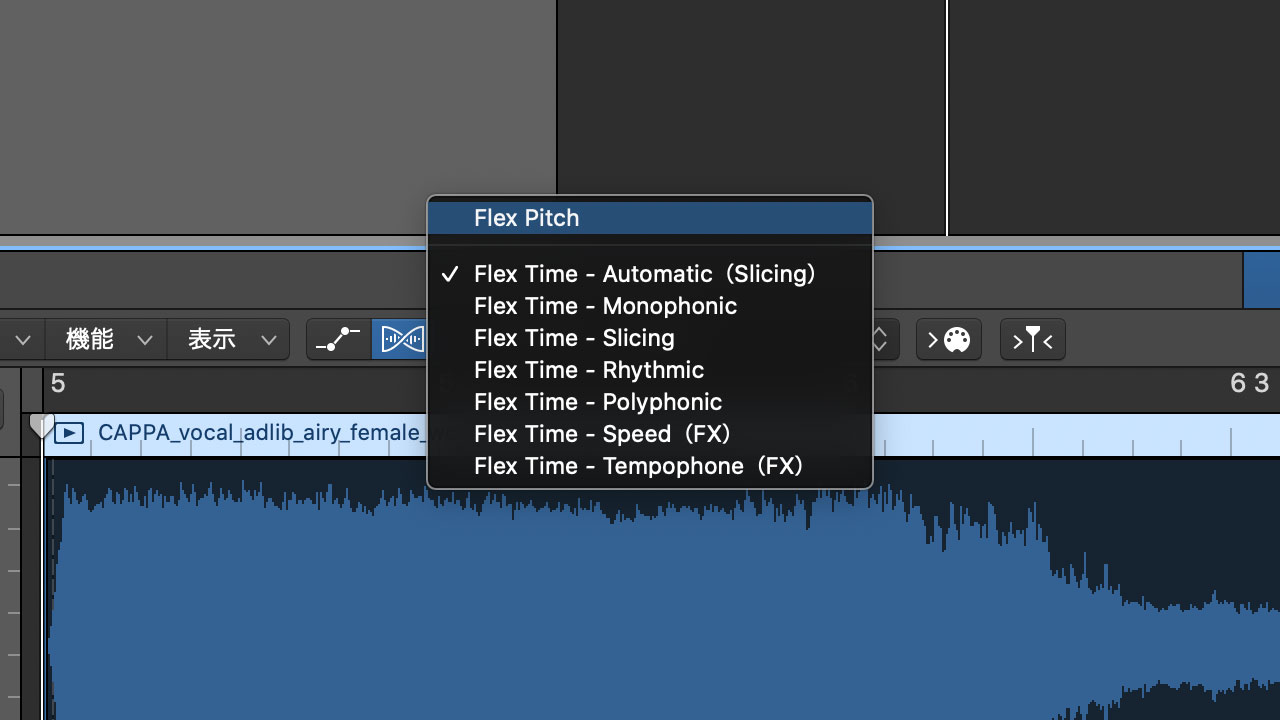
Once Flex is enabled, choose “Flex Pitch” from the pop-up menu.
The following article explains Flex Pitch in greater detail if you would like to learn more.
Turn Flex Pitch Audio into MIDI Data
Once you are in Flex Pitch mode and the detected pitches appear in the piano-roll-style editor, open the Edit menu at the upper left and choose “Create MIDI Track from Flex Pitch Data.”
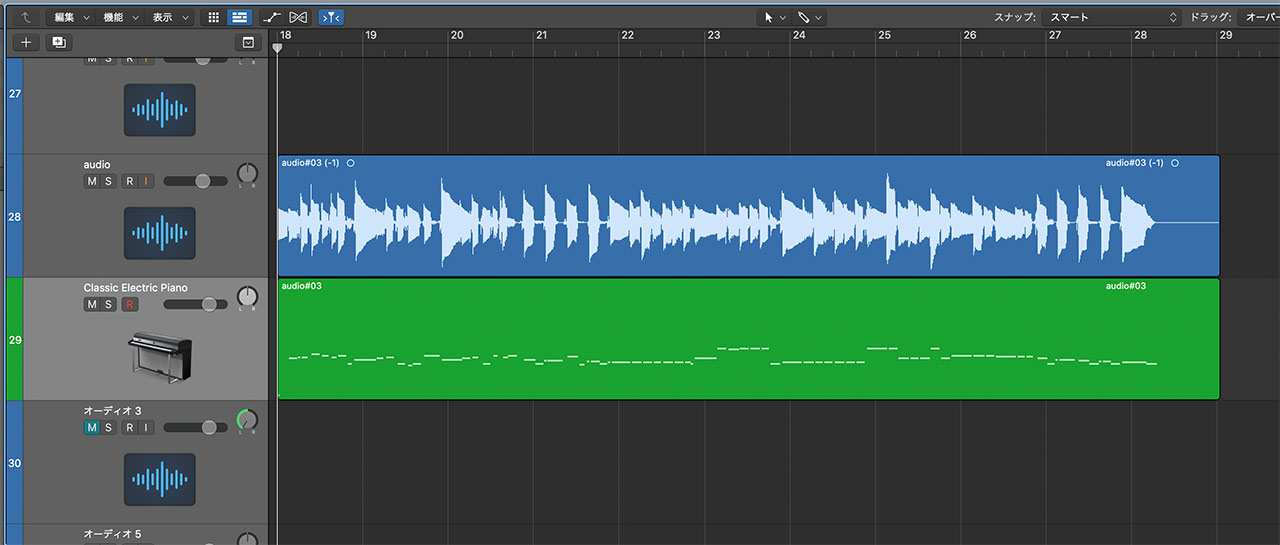
Logic creates a software instrument track next to the audio track, loads Classic Electric Piano, and places the MIDI data generated from the audio on the new track.
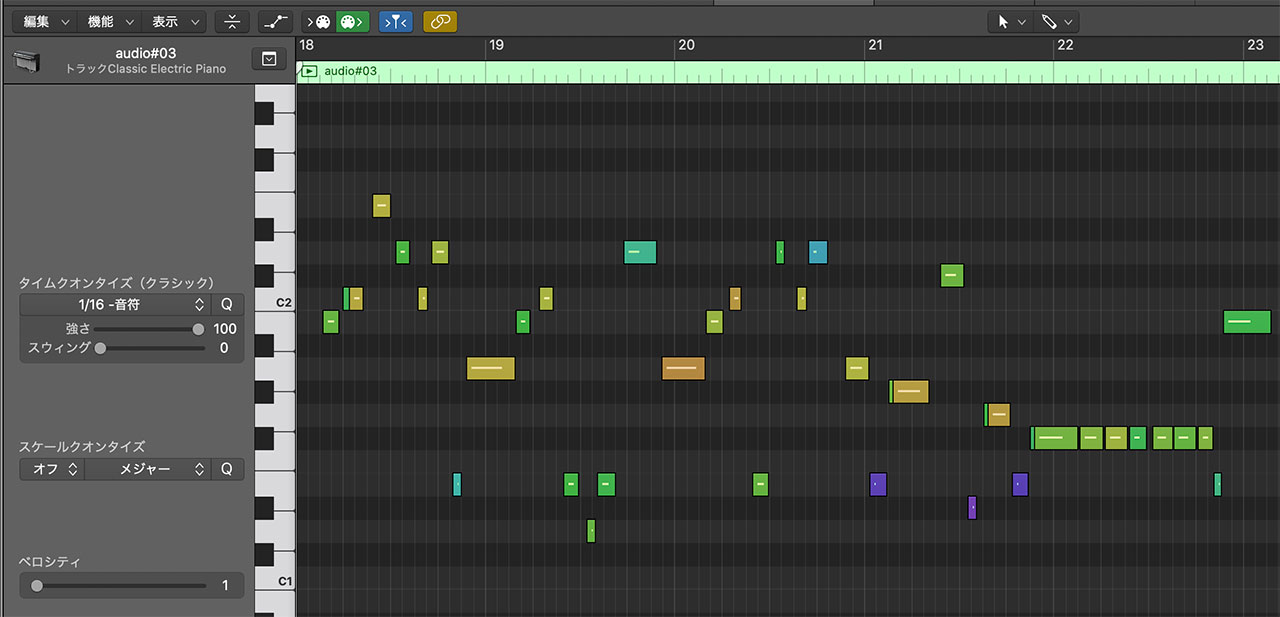
Open the Piano Roll and the result will appear as MIDI data like this.

The video gives a clearer demonstration. The conversion is reasonably accurate but still needs editing. Even so, it can be a powerful tool when used appropriately.
I also tried playing a guitar part and replacing it with a bass instrument, so take a look at the video as well.
