
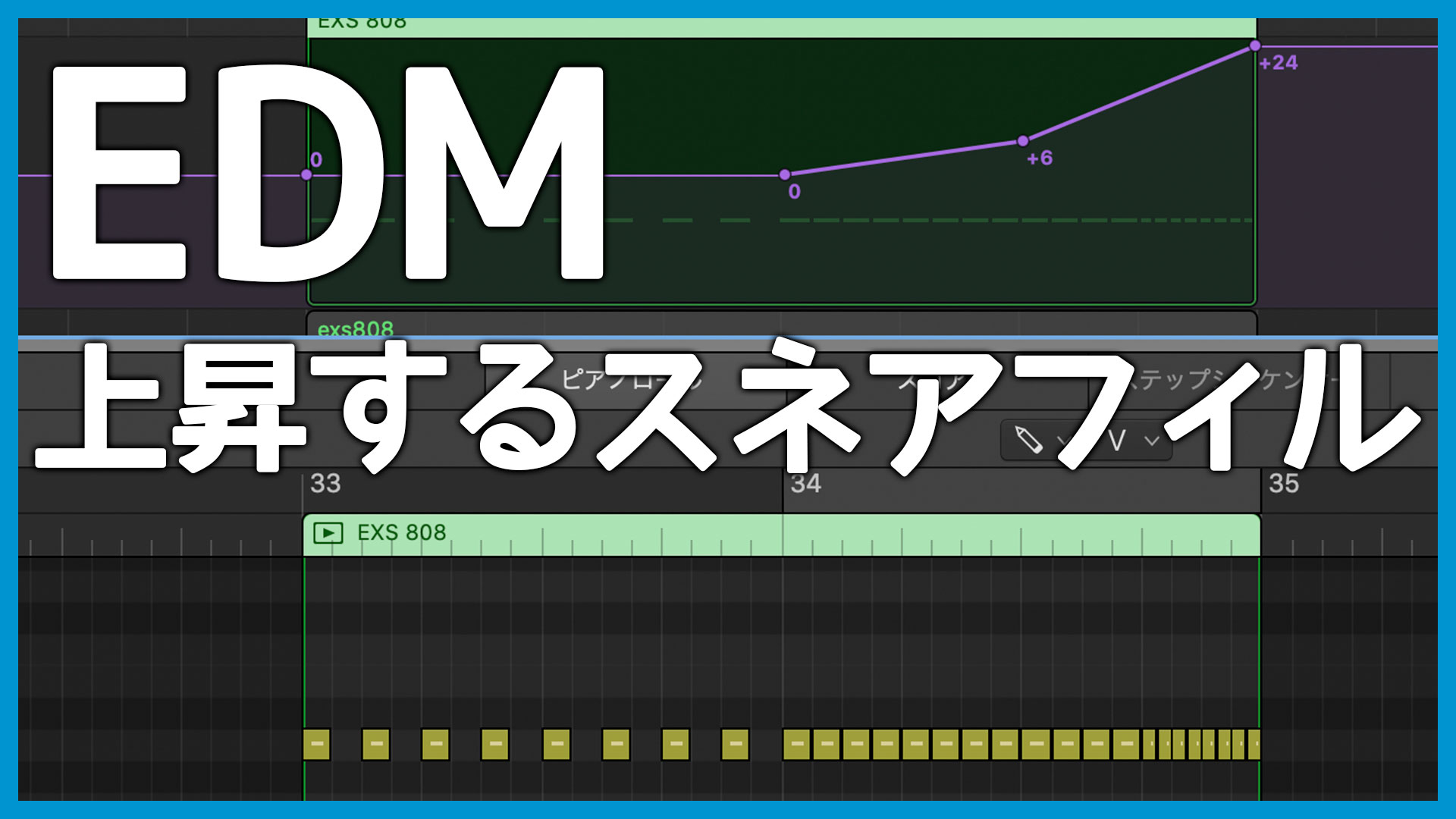
One classic EDM fill begins with repeated snare hits, increases their rhythmic density, and raises the pitch as the build progresses. This guide explains how to create it.
It was one of the first techniques I researched when I began making EDM. Once you know how it works, you can use it to build excitement before a transition.
Program the MIDI for the Repeating Snare Fill
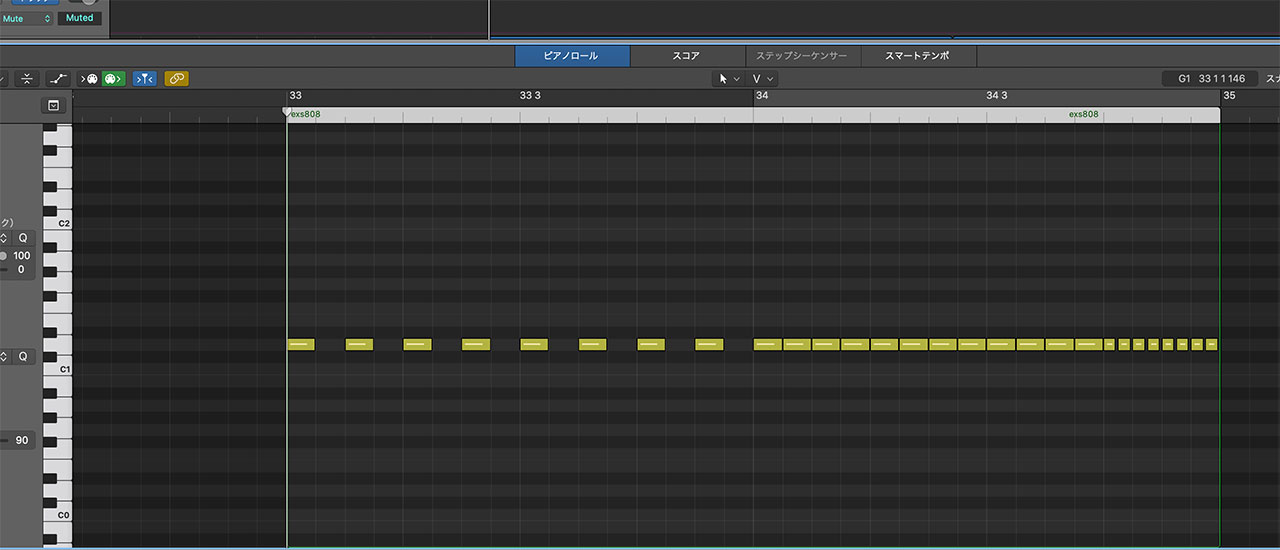
Start by entering the snare notes. You can perform a rough version with a keyboard or pad controller and edit it afterward, or draw each note with a mouse or trackpad.
In this example, the first bar uses eighth notes, the next bar uses sixteenth notes, and the final beat accelerates to thirty-second notes.
Raise the Snare Pitch with Logic Pro’s Sampler
After programming the MIDI, raise the snare’s pitch as the fill builds.
First, here is a method using Logic Pro’s Sampler.
This is Sampler. You can change the pitch by raising the Tone control in the Pitch section at the upper left.
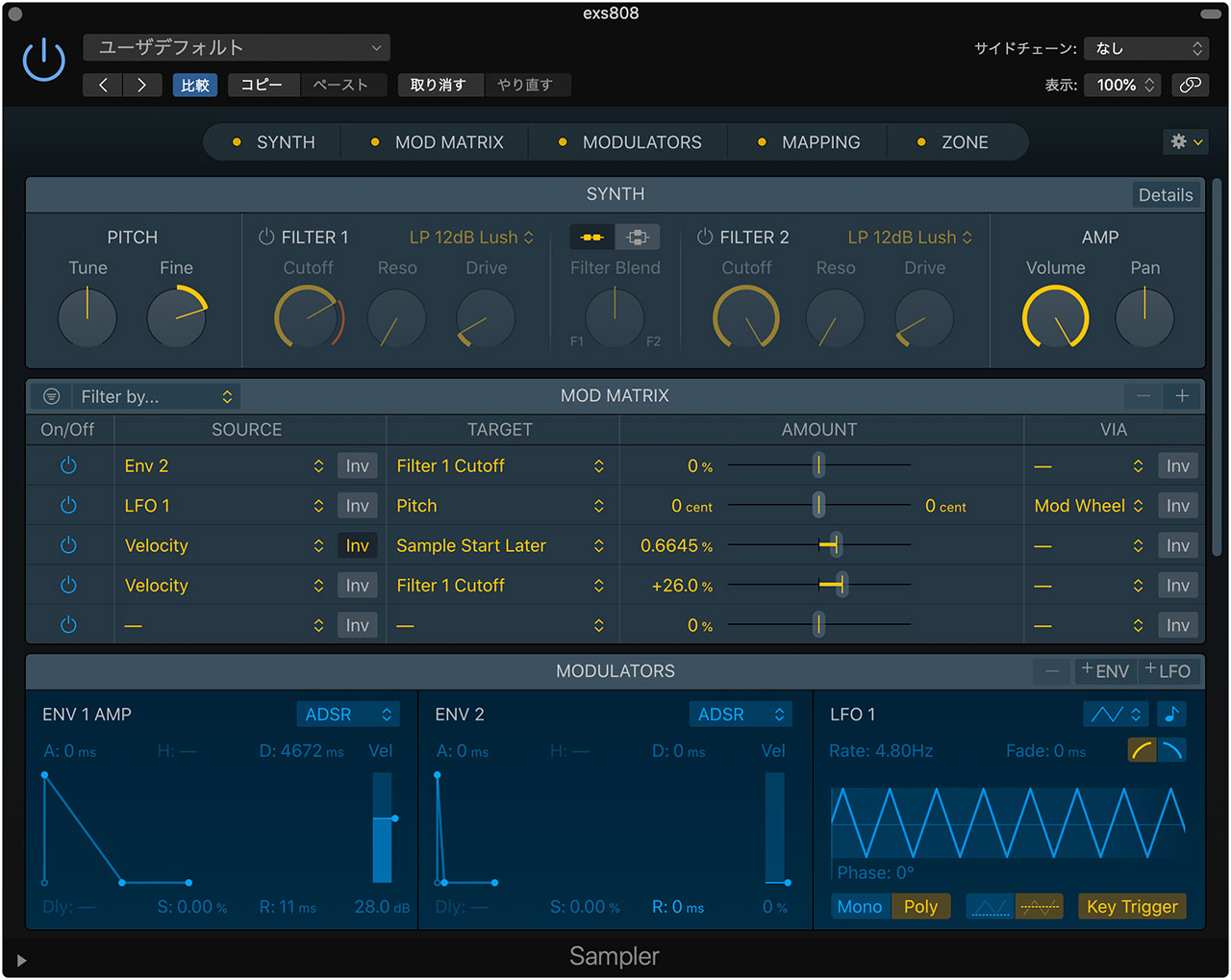
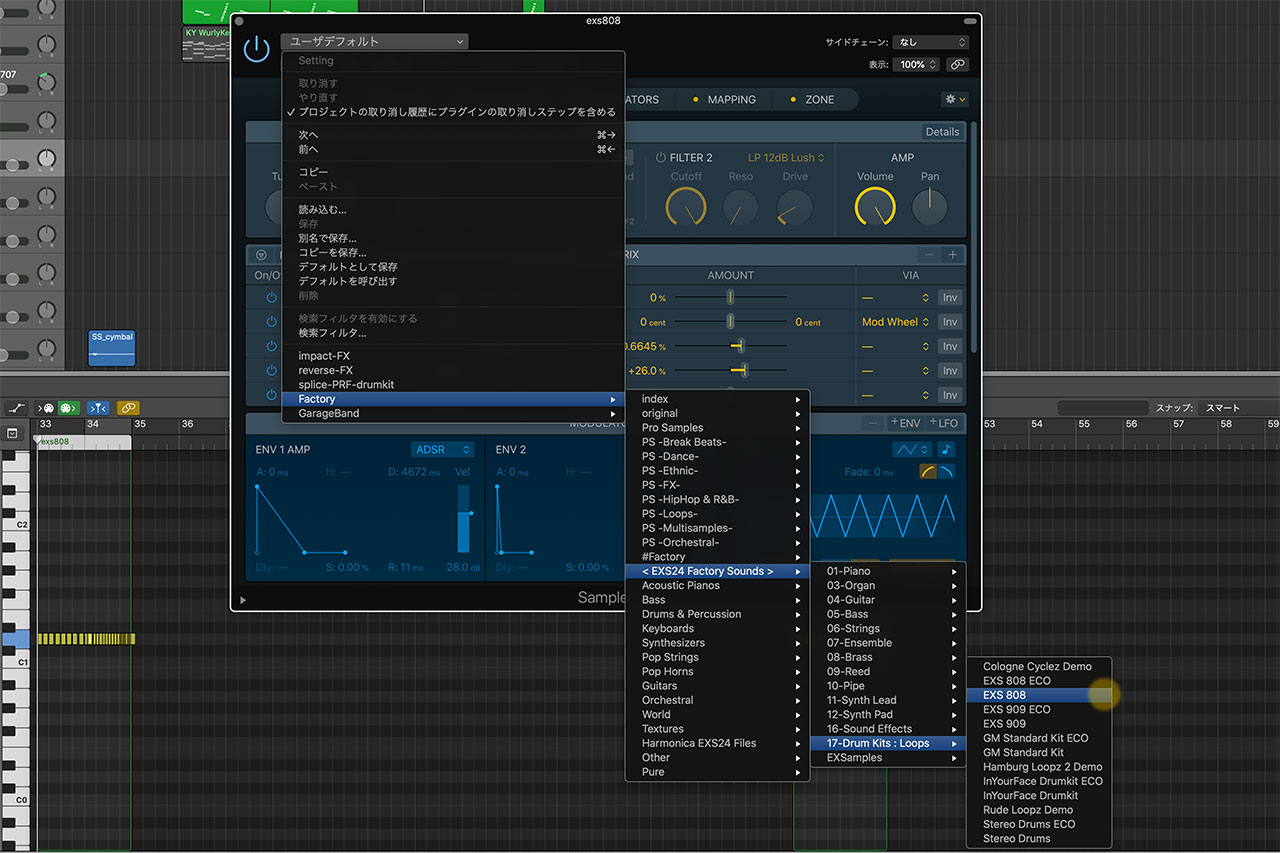
You can load any suitable sound into Sampler. The EXS808 instrument, sampled from a TR-808, is an easy option. A 909-style sound or any other snare you prefer will work too.
Enable automation at the top of the main window and select Sampler > Pitch > Coarse Tone.
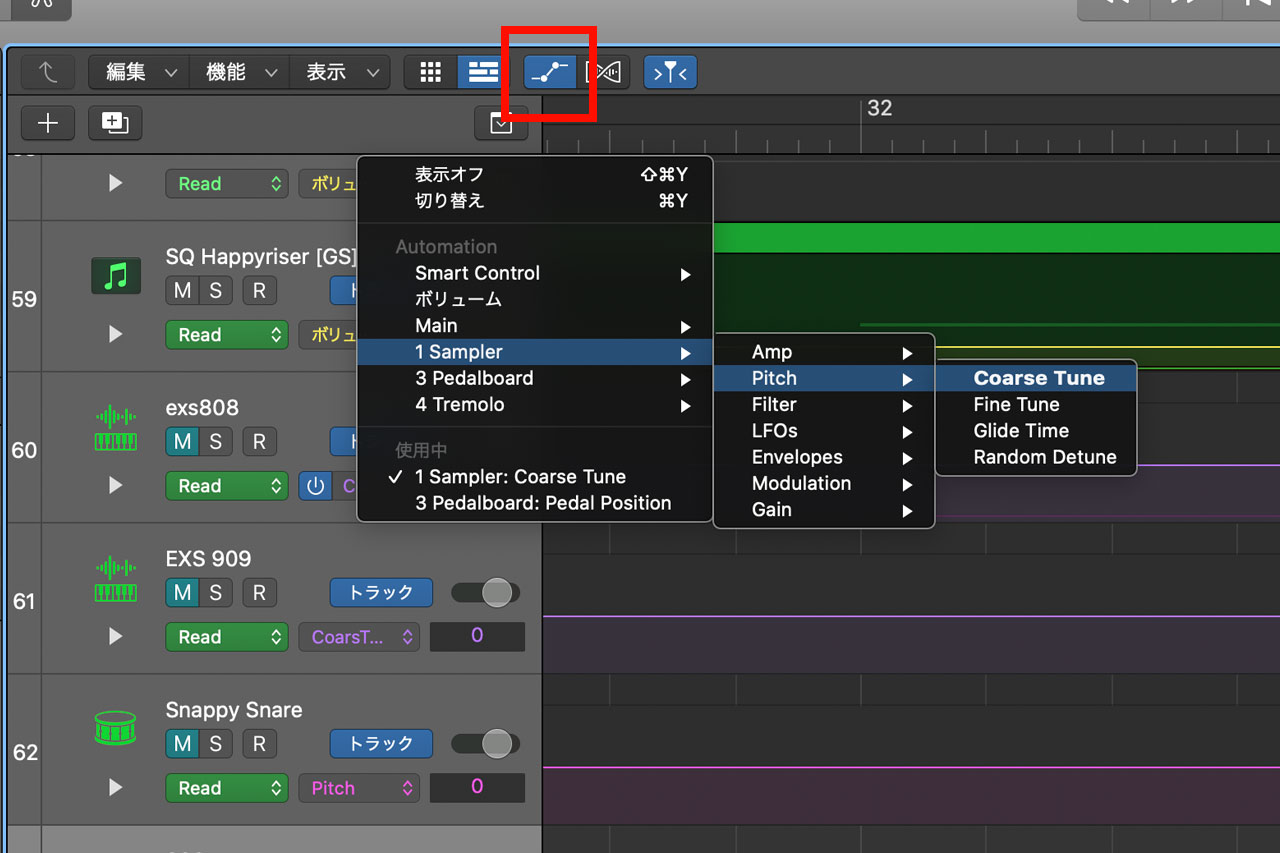
Keep the automation flat through the first bar, then make it rise when the sixteenth-note pattern begins in bar two. A curve that climbs more steeply toward the end creates a stronger build.
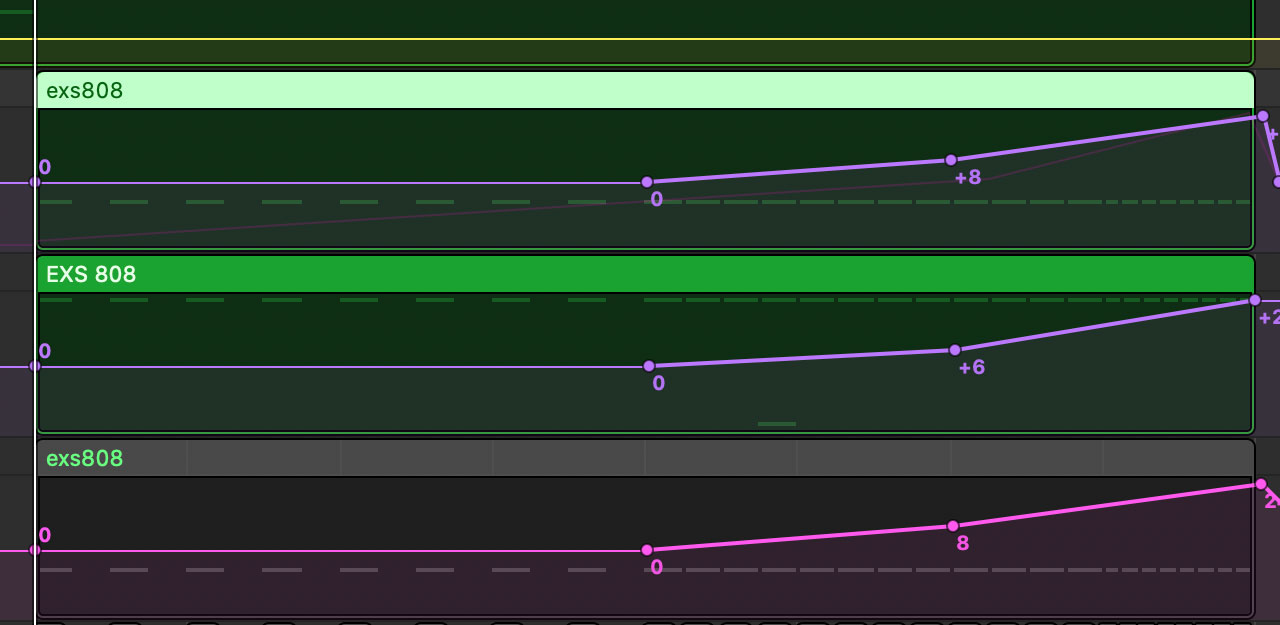
Here is the finished snare fill.
Raise the Pitch of a Drum Track Built from Audio Files
You may also build drum tracks by arranging audio files directly. In that case, insert a pitch-shifter effect and draw similar automation to raise the pitch.
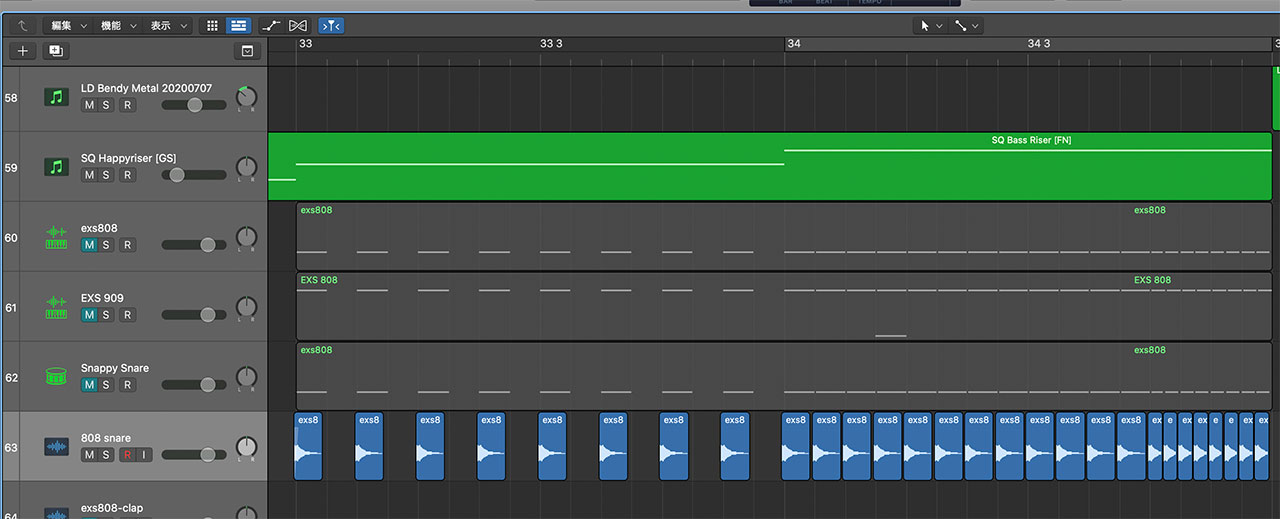
Logic Pro’s Pitch Shifter covered only one octave, which did not create enough of a rise for this example, so I used a Wham pedal instead. You can find Wham in the Pedalboard plug-in.
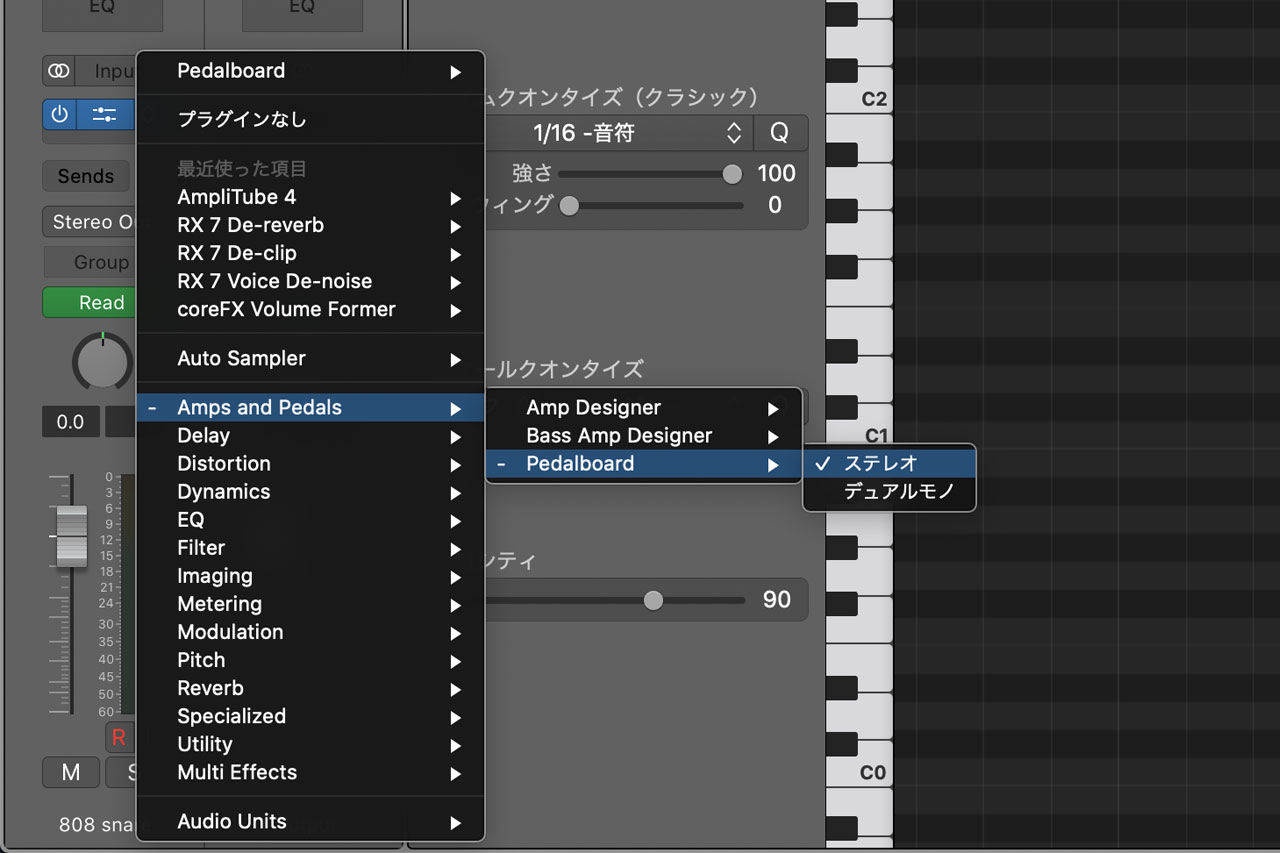
Set the Wham effect’s Mix control to its maximum value.
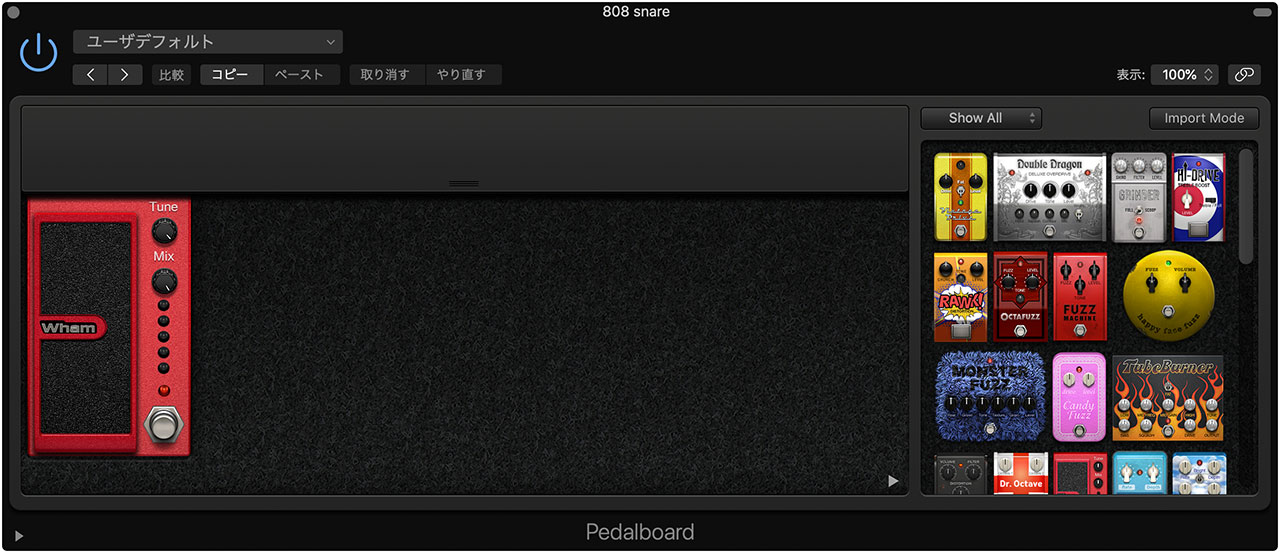
For Pedalboard automation, choose Wham > Pedal Position.

As with Sampler, draw automation that creates a more dramatic rise toward the end.
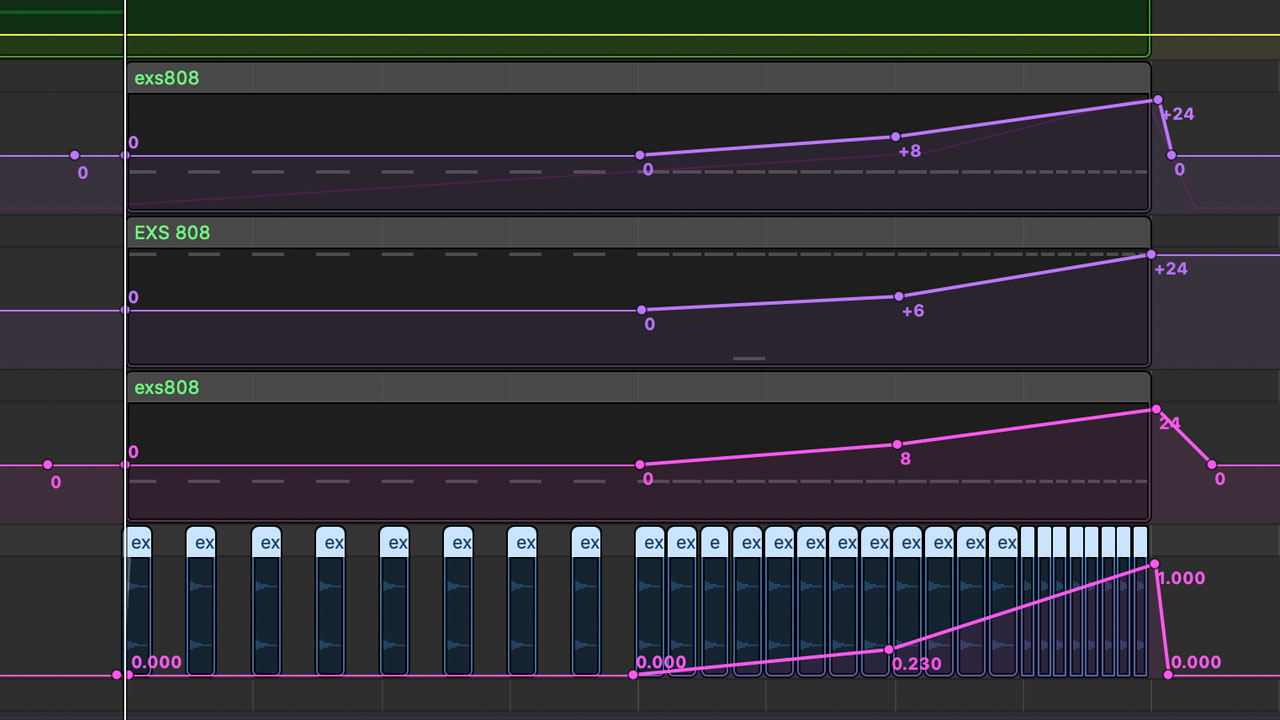
It sounds almost the same as the previous version, but here is another audio example for comparison.
Add a Rising Synth Alongside the Snare Fill
This snare fill is only one example, so use the basic method as a starting point and experiment with it.
For instance, you can raise a synth’s pitch at the same time to make the build even more dramatic, as in this example.
